
Find 40 ready-to-use appointment reminder texts for healthcare, education, real estate, and finance. Each template explains when to send it, what to include, and how to personalise the message.
Missed appointments can mean unused consultation slots, delayed admissions, lost sales opportunities, and additional follow-up work. A timely appointment reminder text helps customers remember their commitments, prepare for upcoming meetings, and confirm or reschedule when their plans change.
However, appointment communication does not end with a reminder. Businesses also need to send booking confirmations, cancellation notices, post-appointment follow-ups, and payment reminders. Each message serves a different purpose and requires the right information, timing, and call to action.
This guide includes 40 ready-to-use appointment reminder text message templates for healthcare, education, real estate, and finance. You will find practical examples for every stage of the appointment process, along with guidance on when to send each message, who should use it, and how to personalise it for your customers.
What Should an Effective Appointment Reminder Text Include?
An effective appointment reminder text should give recipients enough information to identify their appointment and take the next step without contacting your team for clarification. Here are six elements to include in your appointment reminder messages.
- Recipient’s name: Personalise the message using the customer’s or patient’s first name. Make sure the name matches your appointment records.
- Business name: Clearly identify the hospital, educational institution, real estate agency, or financial services provider sending the message.
- Appointment details: Include the appointment date, time, and location or virtual meeting link. Specify the time zone when scheduling appointments across different regions.
- Purpose of the reminder: State whether you are confirming an appointment, sending a reminder, communicating a cancellation, requesting payment, or following up after a meeting. Avoid sensitive personal information.
- Clear call to action: Tell recipients what to do next, such as replying to confirm, using a link to reschedule, completing a payment, or contacting your team.
- Appropriate timing: Send messages early enough for recipients to prepare or make changes. A reminder 24–48 hours before an appointment gives customers more time to respond than one sent shortly before the meeting.
Here’s an example of such reminder:-
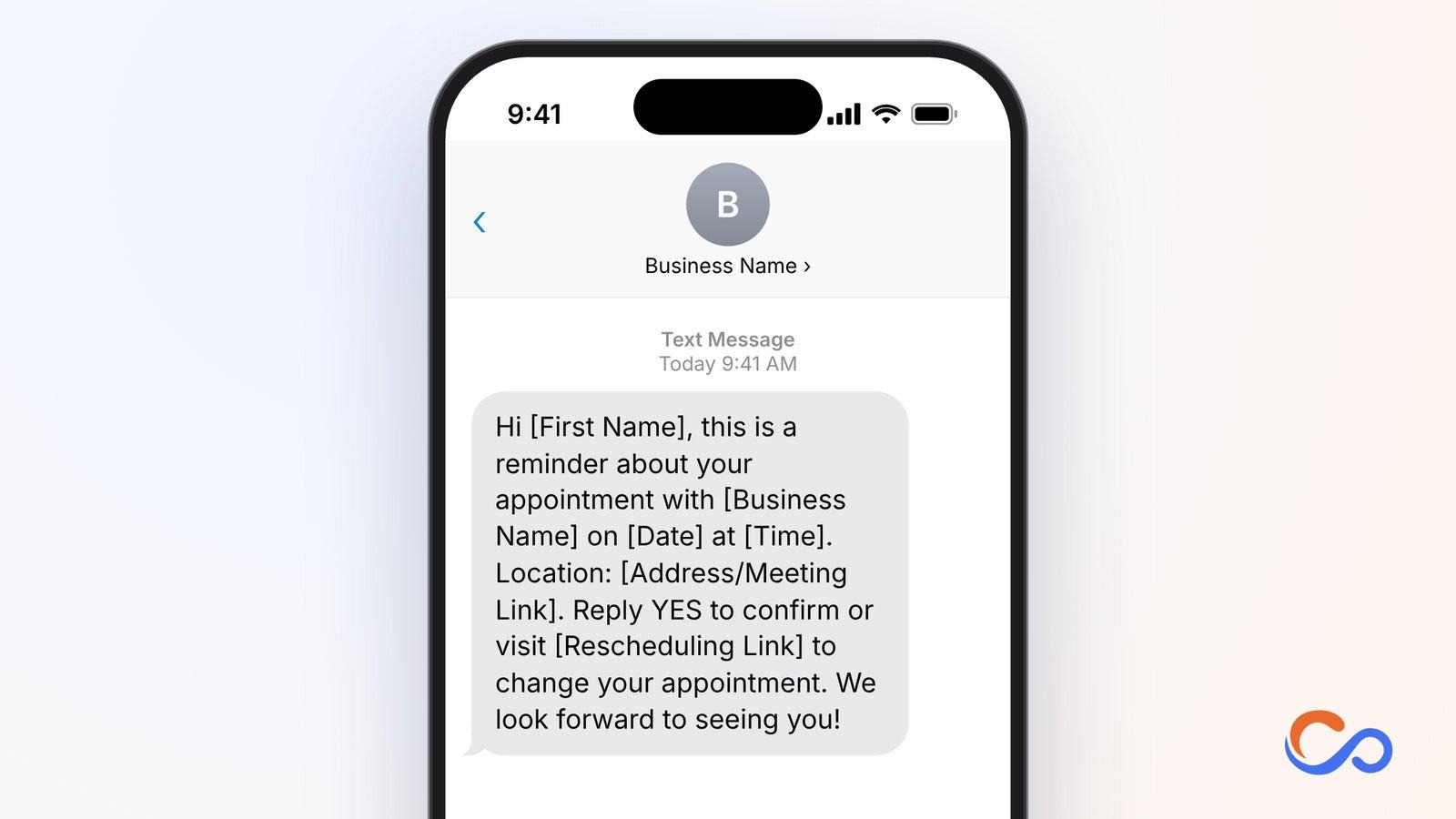
Keep messages short, use accurate appointment information, and make the next action easy to complete. For automated SMS reminders, ensure that recipients have provided the required consent and that messages meet applicable communication and privacy requirements.
Healthcare Appointment Reminder Text Message Templates
Healthcare providers use appointment reminder text messages to keep patients informed about upcoming consultations, diagnostic tests, follow-up visits, and other scheduled services. These messages can help reduce missed appointments, give patients time to prepare, and make it easier to communicate scheduling changes. Hospitals, clinics, dental practices, diagnostic centres, and telehealth providers can use the following templates at different stages of the patient appointment process.
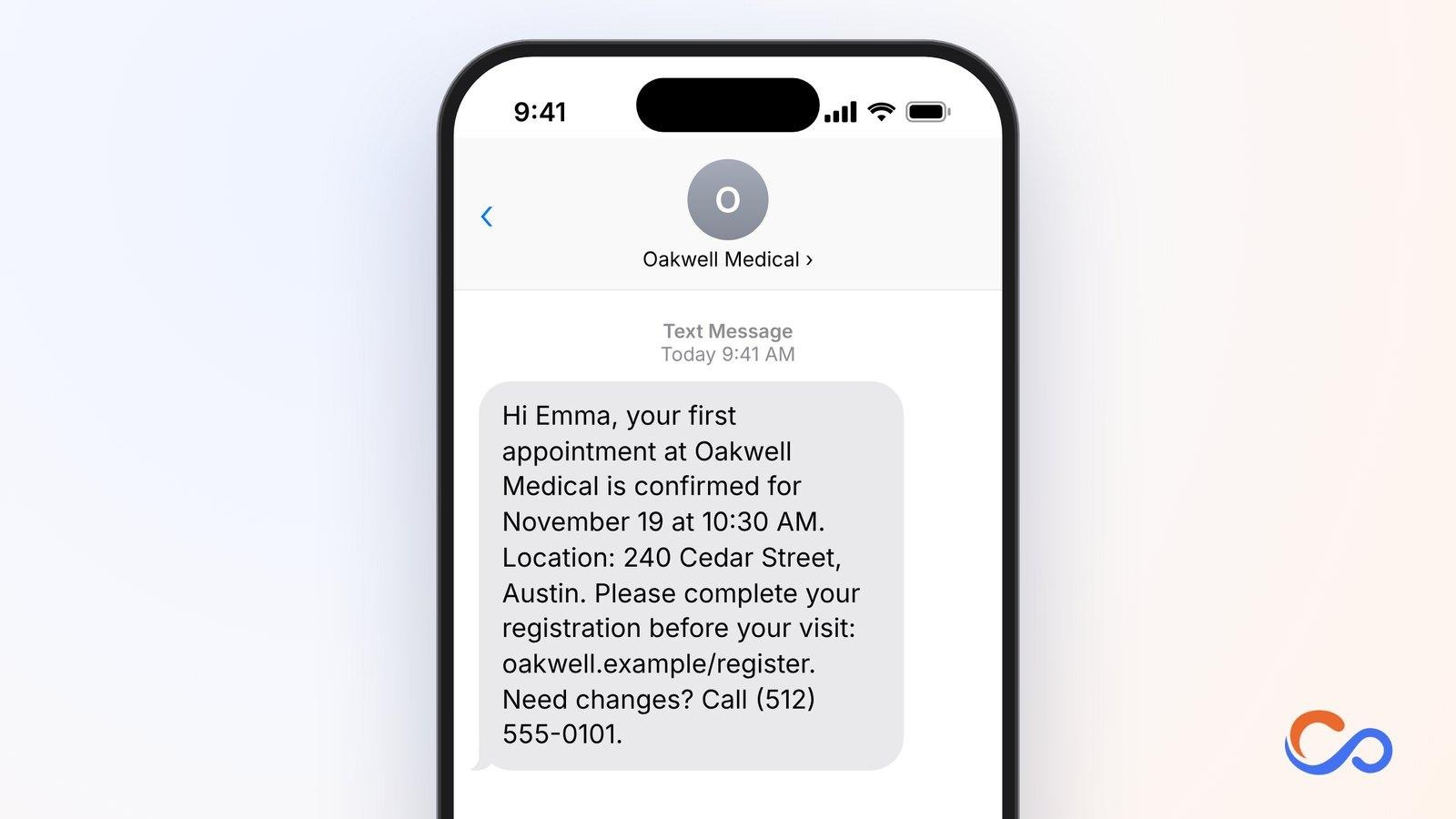
1. New Patient Appointment Confirmation Text
A first appointment often involves registration forms, insurance information, or finding the clinic. Confirmation reassures new patients that booking was successful and gives them information to prepare.
Who should use it and how
Hospitals, primary care clinics, dental practices, specialist clinics, and outpatient facilities can send this immediately after a patient books a first appointment.
Key elements to include
- Patient name
- Provider name
- Appointment date and time
- Clinic address
- Secure registration link
- Contact for changes
2. 48-Hour Medical Appointment Reminder Text
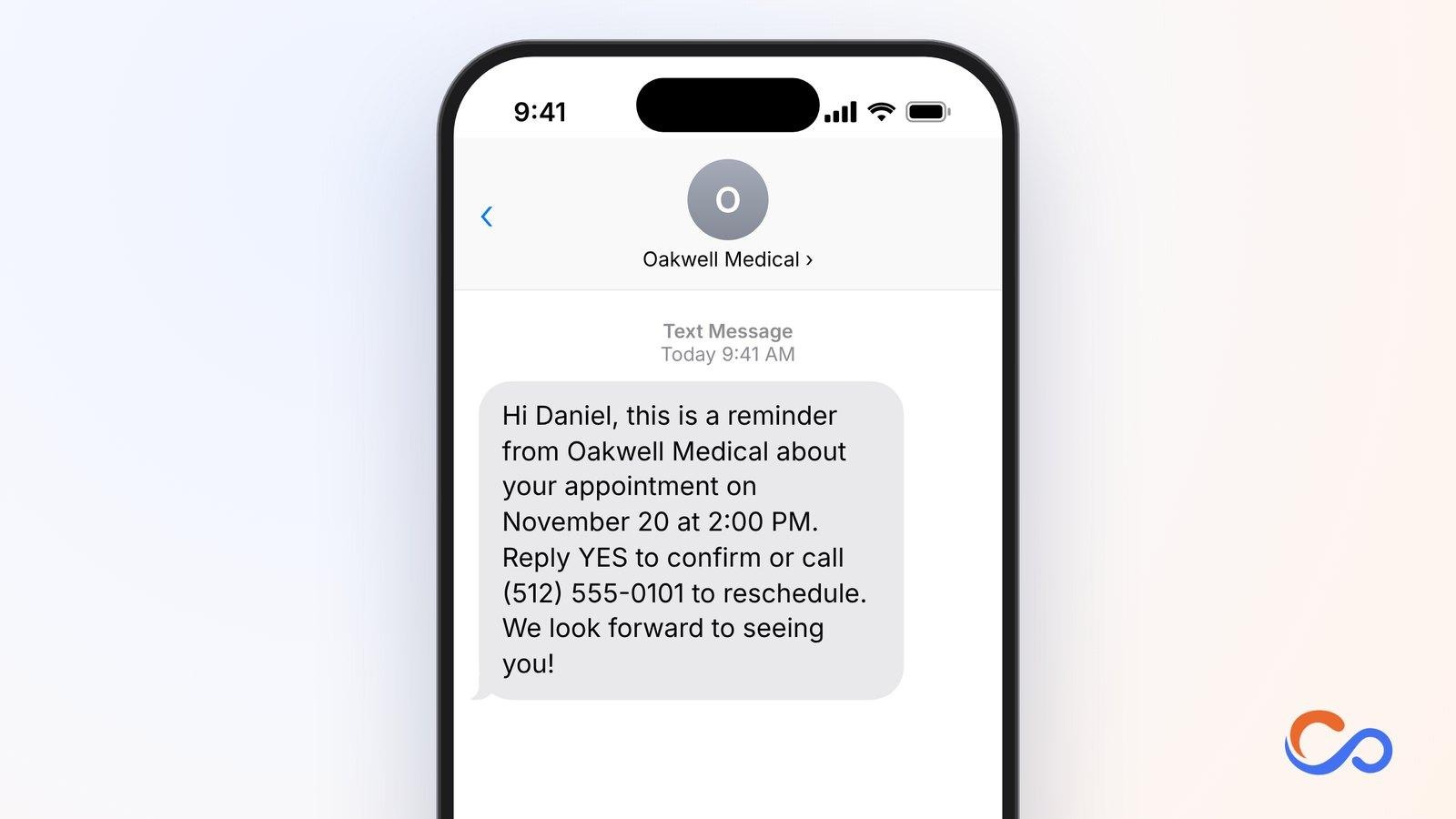
Patients may book consultations days or weeks ahead. A 48-hour reminder allows time to check schedules, arrange transportation, or request a change. It can also identify appointments needing to be rescheduled.
Who should use it and how
Hospitals, outpatient clinics, specialist practices, and diagnostic centres can automatically send it two days before a confirmed appointment.
Key elements to include
- Patient name
- Clinic name
- Date and time
- Confirmation request
- Rescheduling instructions
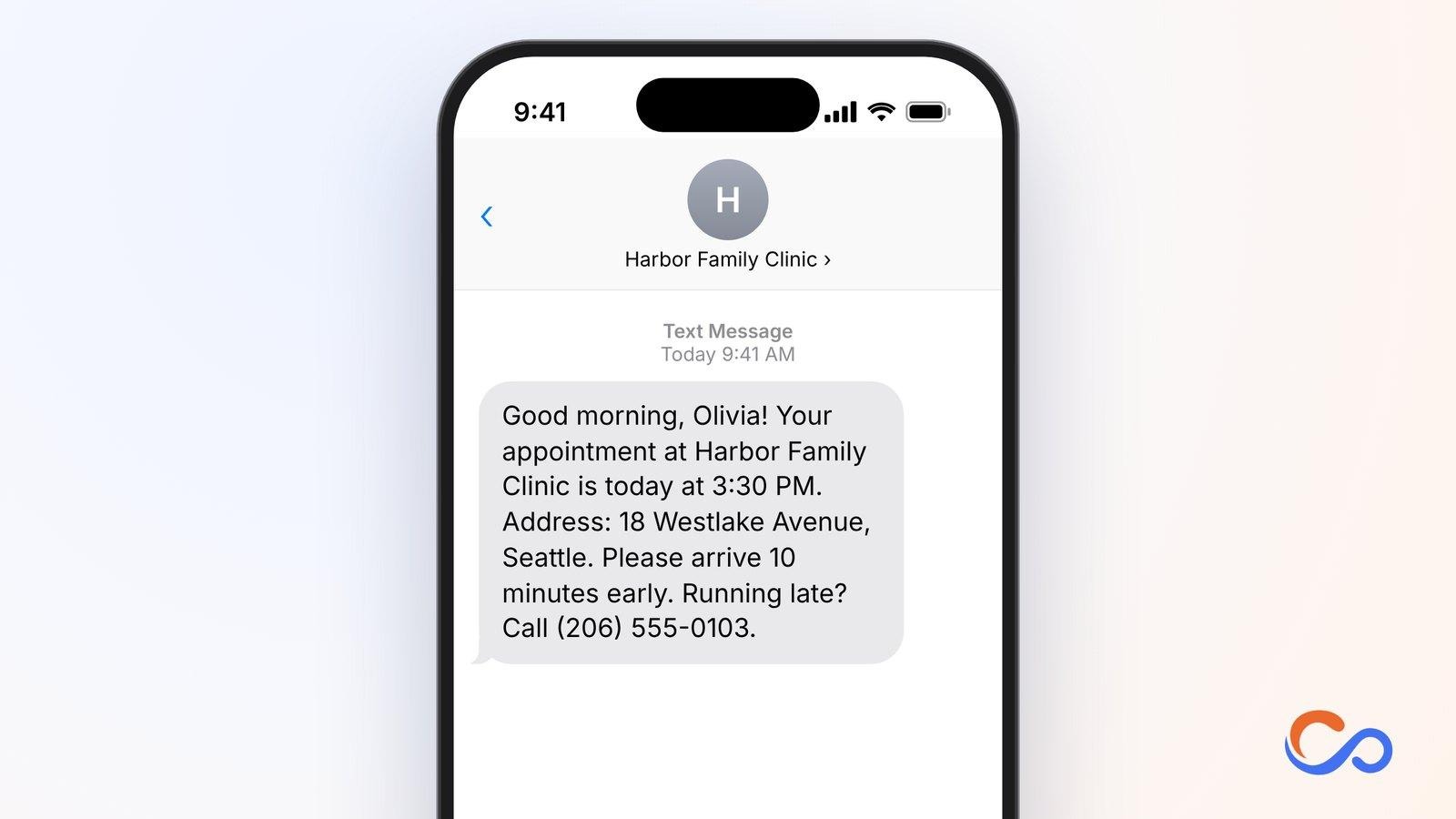
3. Same-Day Doctor Appointment Reminder Text
A same-day reminder helps patients remember the precise time and arrival instructions, and gives them one final chance to report delays.
Who should use it and how
Primary care practices, dental clinics, specialists, and outpatient departments can send it a few hours before the visit.
Key elements to include
- Patient name
- Provider
- Appointment time
- Location
- Arrival guidance
- Delay contact
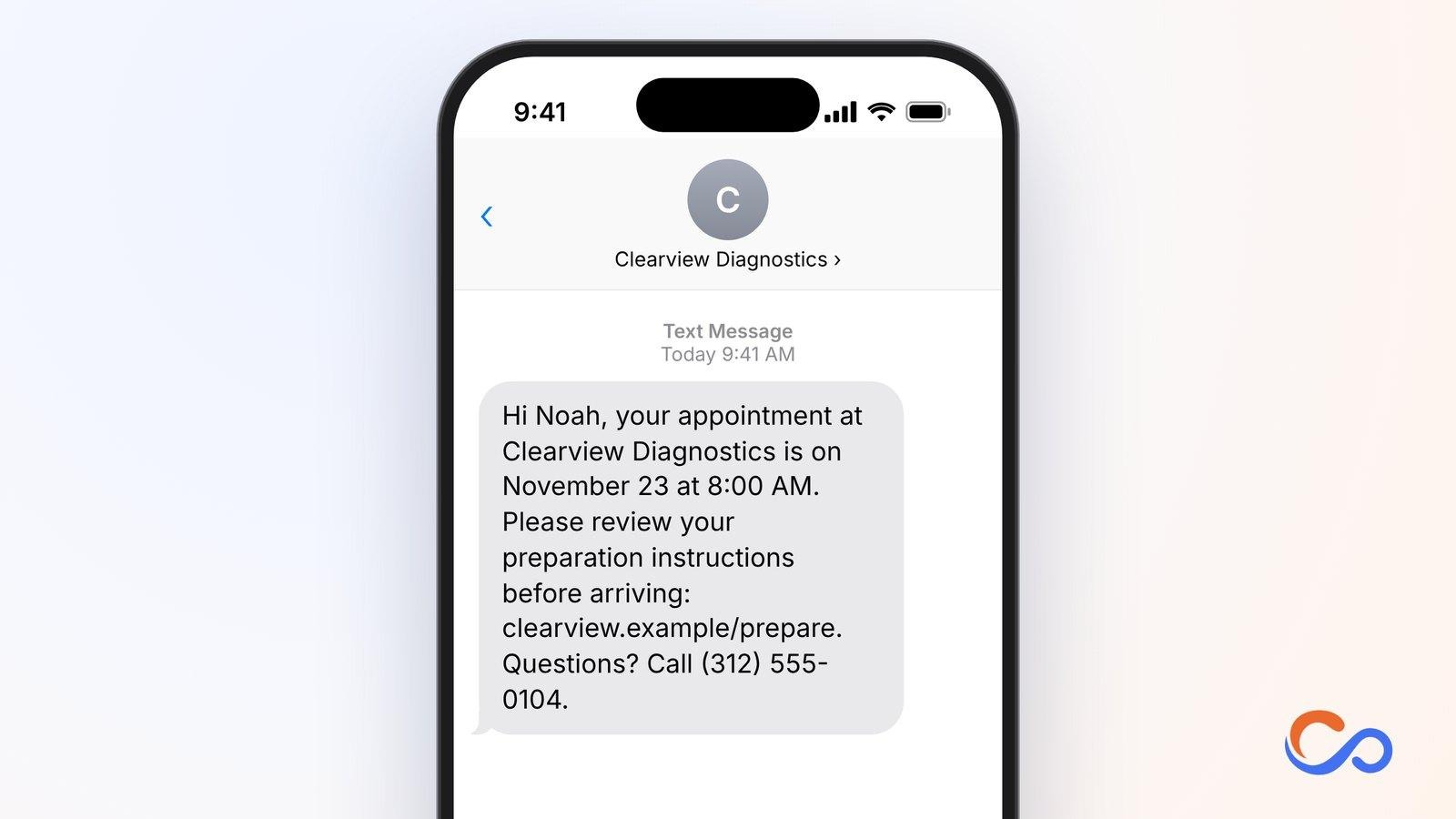
4. Diagnostic Test Preparation Reminder Text
Some diagnostic procedures require specific preparation. Missed instructions can lead to delays, cancelled tests, or a second appointment. Direct patients to approved test instructions instead of including sensitive details in SMS.
Who should use it and how
Diagnostic laboratories, imaging centres, hospitals, and testing facilities should time this message according to the approved preparation schedule.
Key elements to include
- Patient name
- Testing centre
- Date and time
- Secure preparation link
- Questions contact
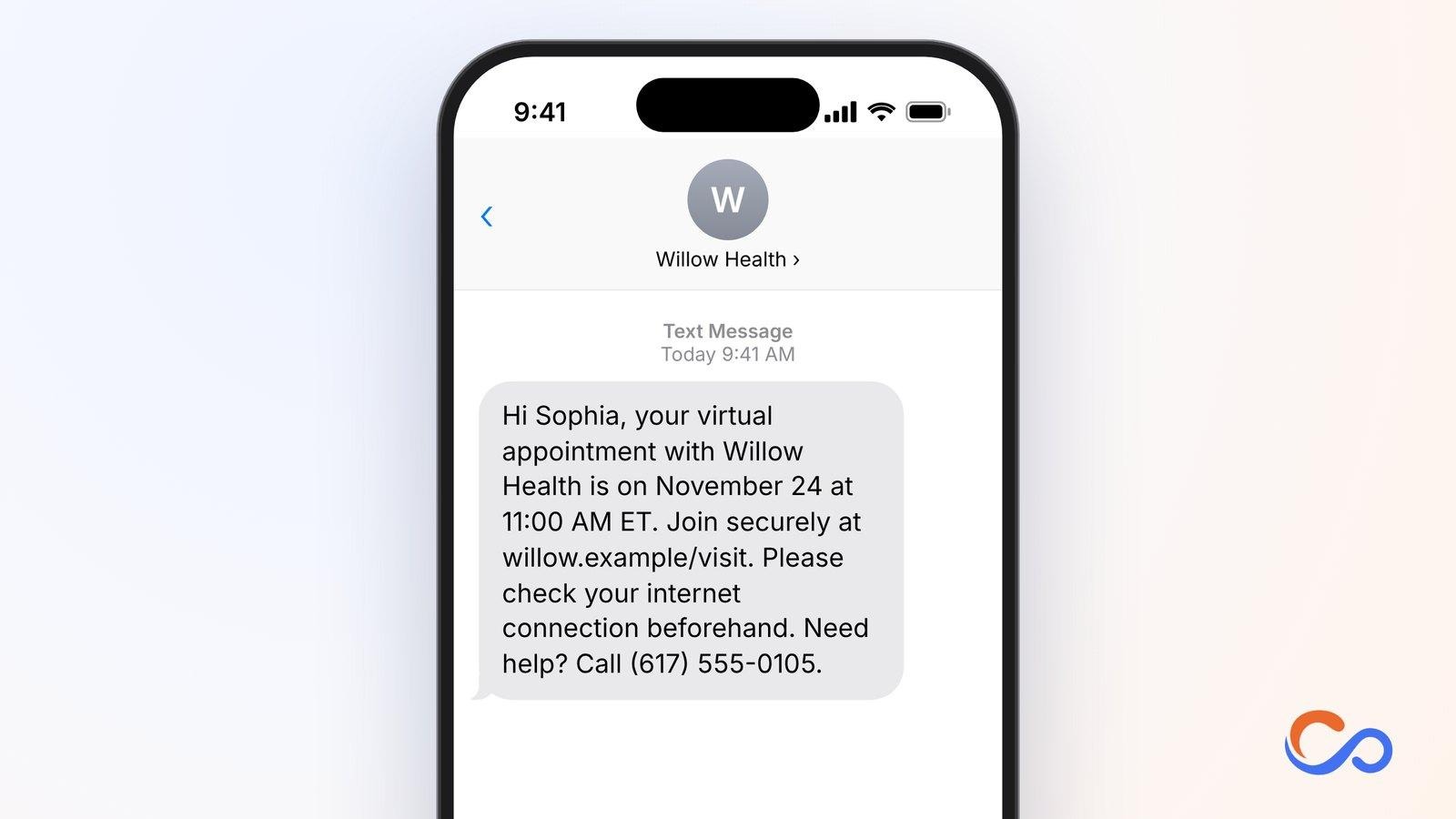
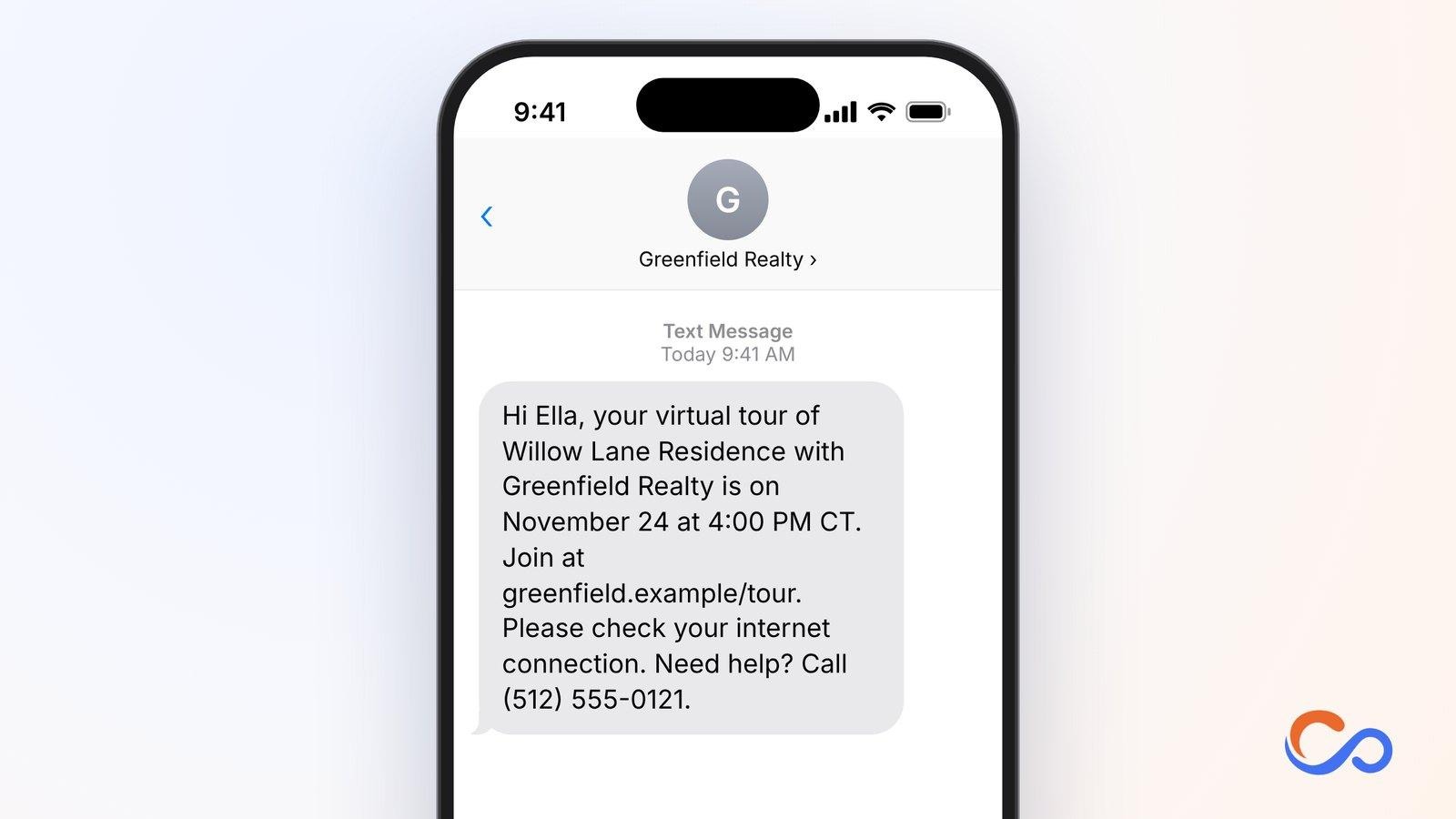
5. Telehealth Appointment Reminder Text
Virtual visits remove travel but still require patients to join at the correct time, access the platform, and check their internet connection.
Who should use it and how
Telehealth providers, mental health practices, primary care clinics, and specialists can send this before a booked online consultation.
Key elements to include
- Patient name
- Provider
- Date and time with time zone
- Secure join link
- Technical support
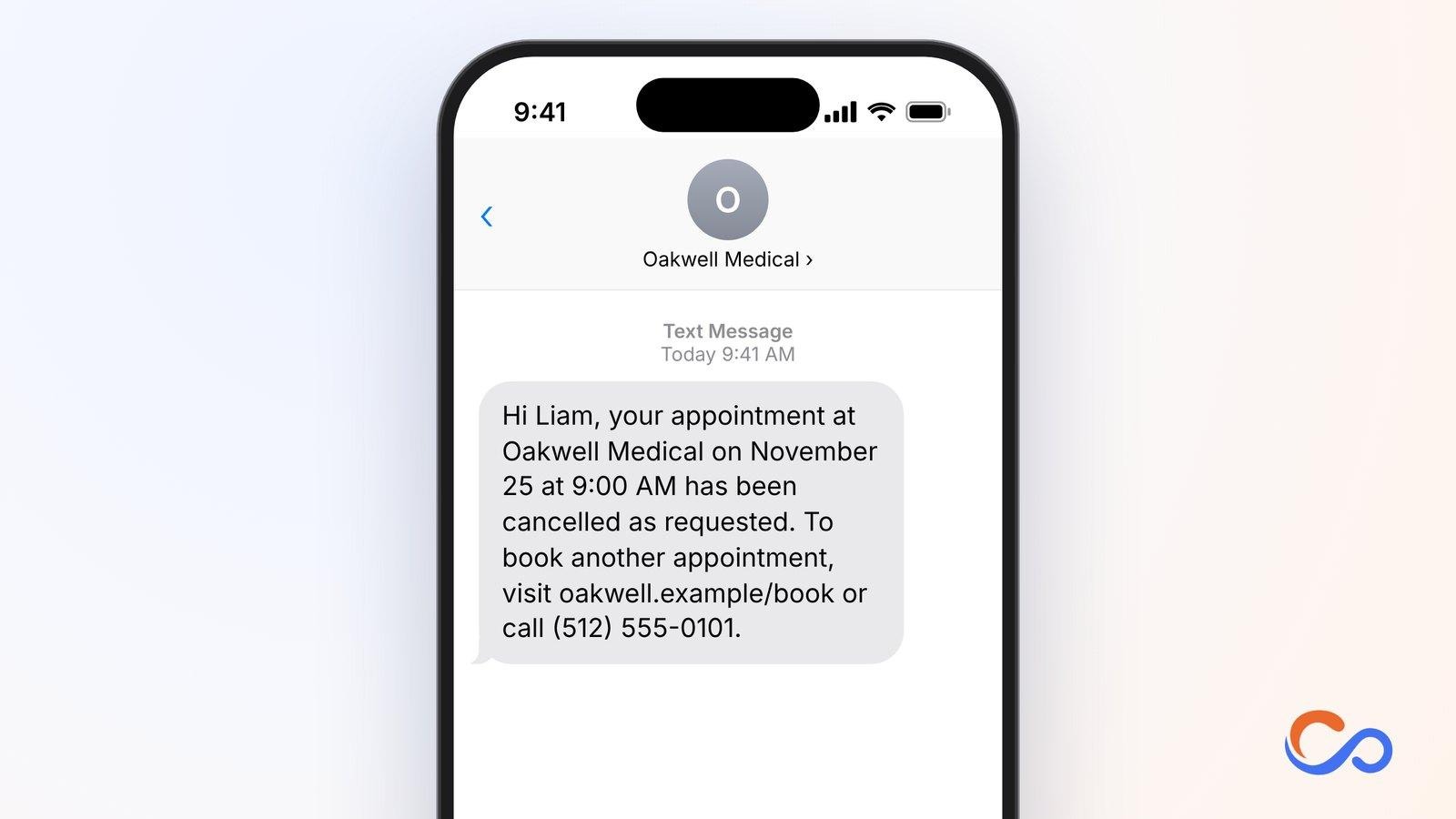
6. Medical Appointment Cancellation Confirmation Text
Patients need clear confirmation when a visit is cancelled so they do not arrive for a booking that no longer exists. Cancellation messages can also show how to rebook.
Who should use it and how
Hospitals, clinics, dental practices, and specialist providers should send this immediately after cancellation has been recorded and confirmed.
Key elements to include
- Patient name
- Clinic
- Cancelled appointment time
- Explicit cancellation
- Rebooking contact
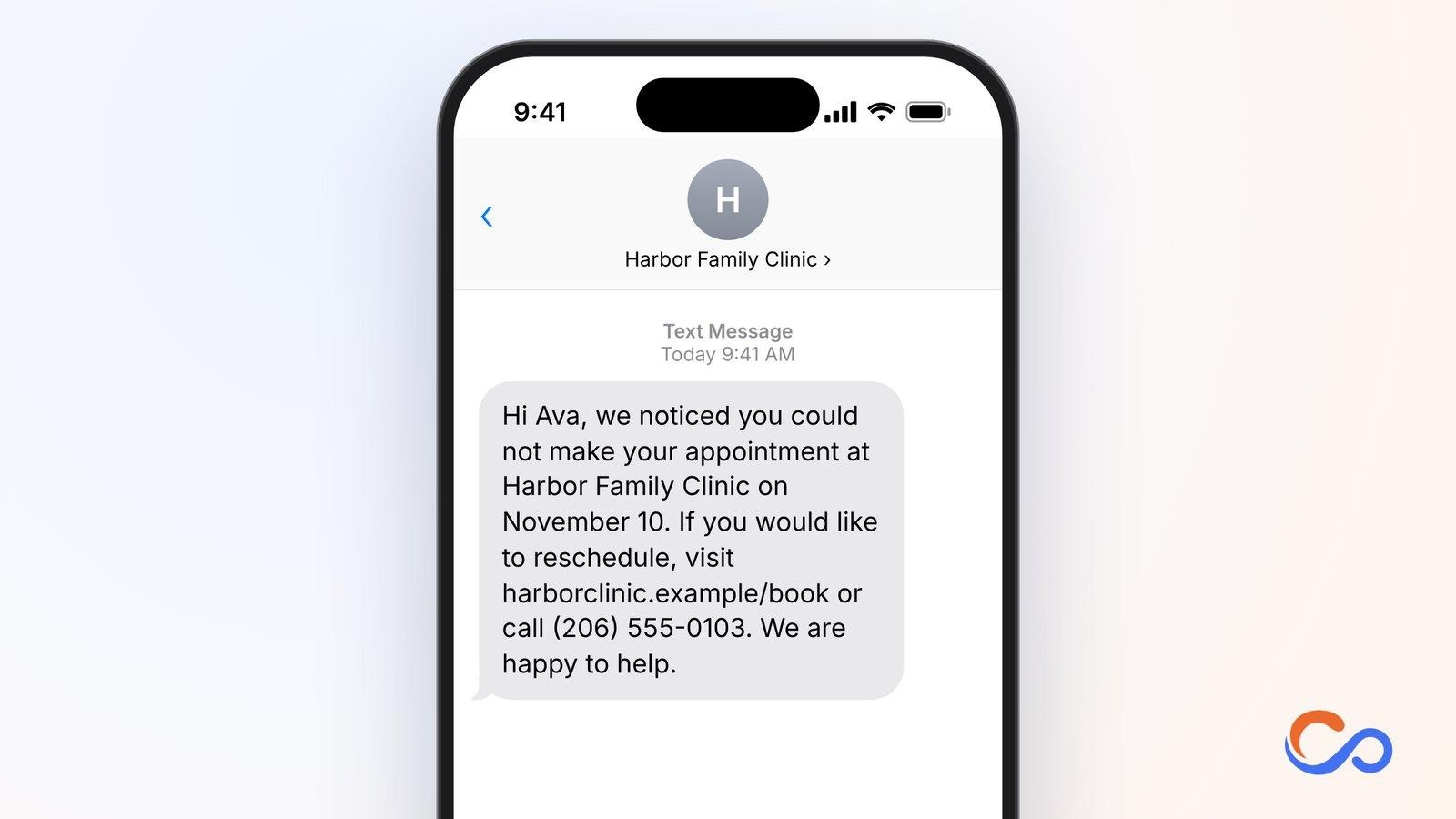
7. Missed Medical Appointment Follow-Up Text
Patients can miss appointments for many reasons. A neutral follow-up gives them a simple route to book again without suggesting blame.
Who should use it and how
Primary care clinics, dental practices, specialist clinics, and outpatient facilities can send it after confirming that the patient did not attend.
Key elements to include
- Patient name
- Provider
- Reference to the missed appointment
- Booking link
- Courteous tone
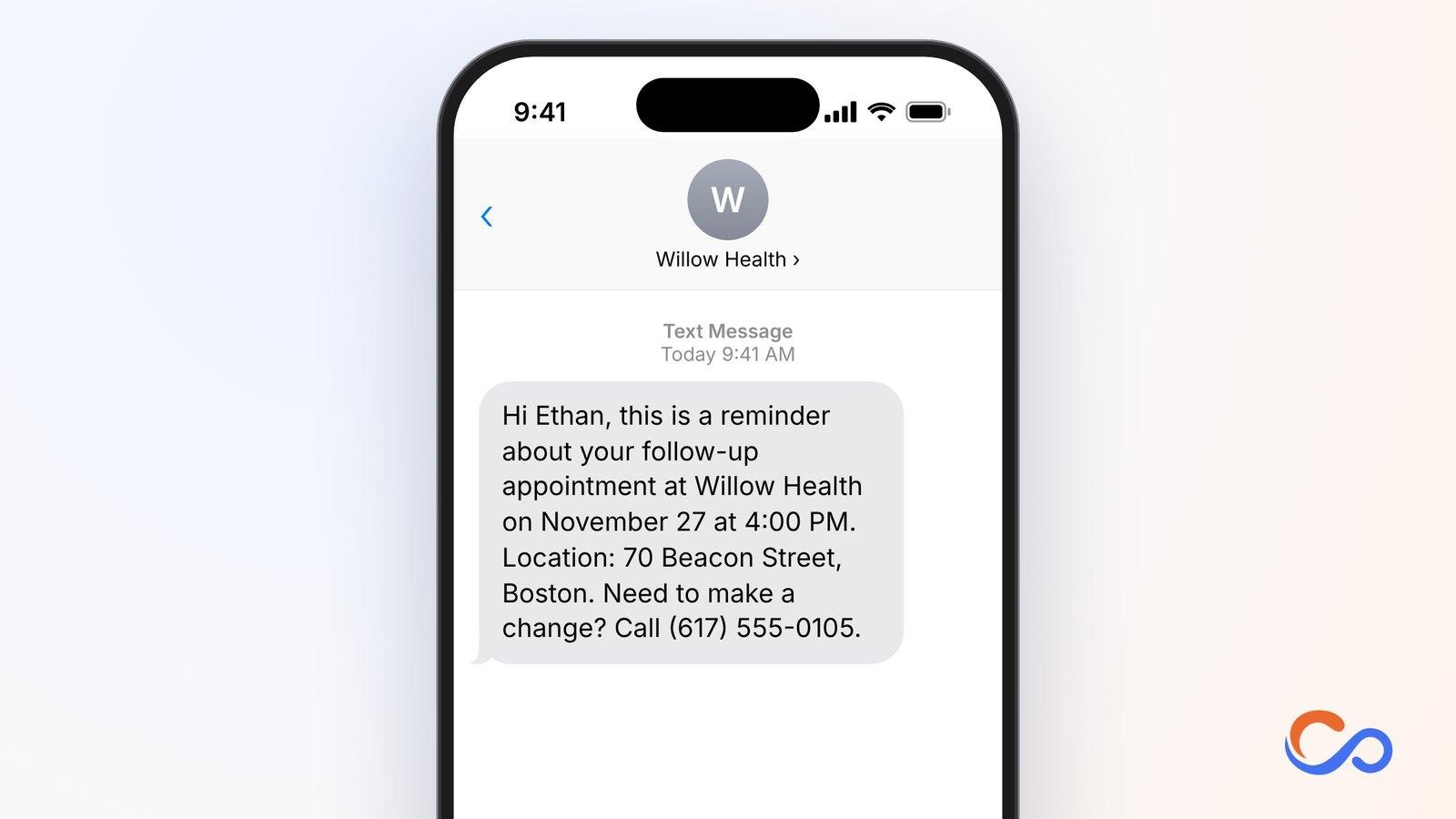
8. Post-Consultation Follow-Up Appointment Reminder Text
Some patients need additional appointments after an initial consultation. A reminder supports attendance at a follow-up visit that is already booked.
Who should use it and how
Specialist clinics, hospitals, rehabilitation centres, dental practices, and other providers can send it before the confirmed follow-up.
Key elements to include
- Patient name
- Clinic
- Next visit date and time
- Location
- Rescheduling instructions
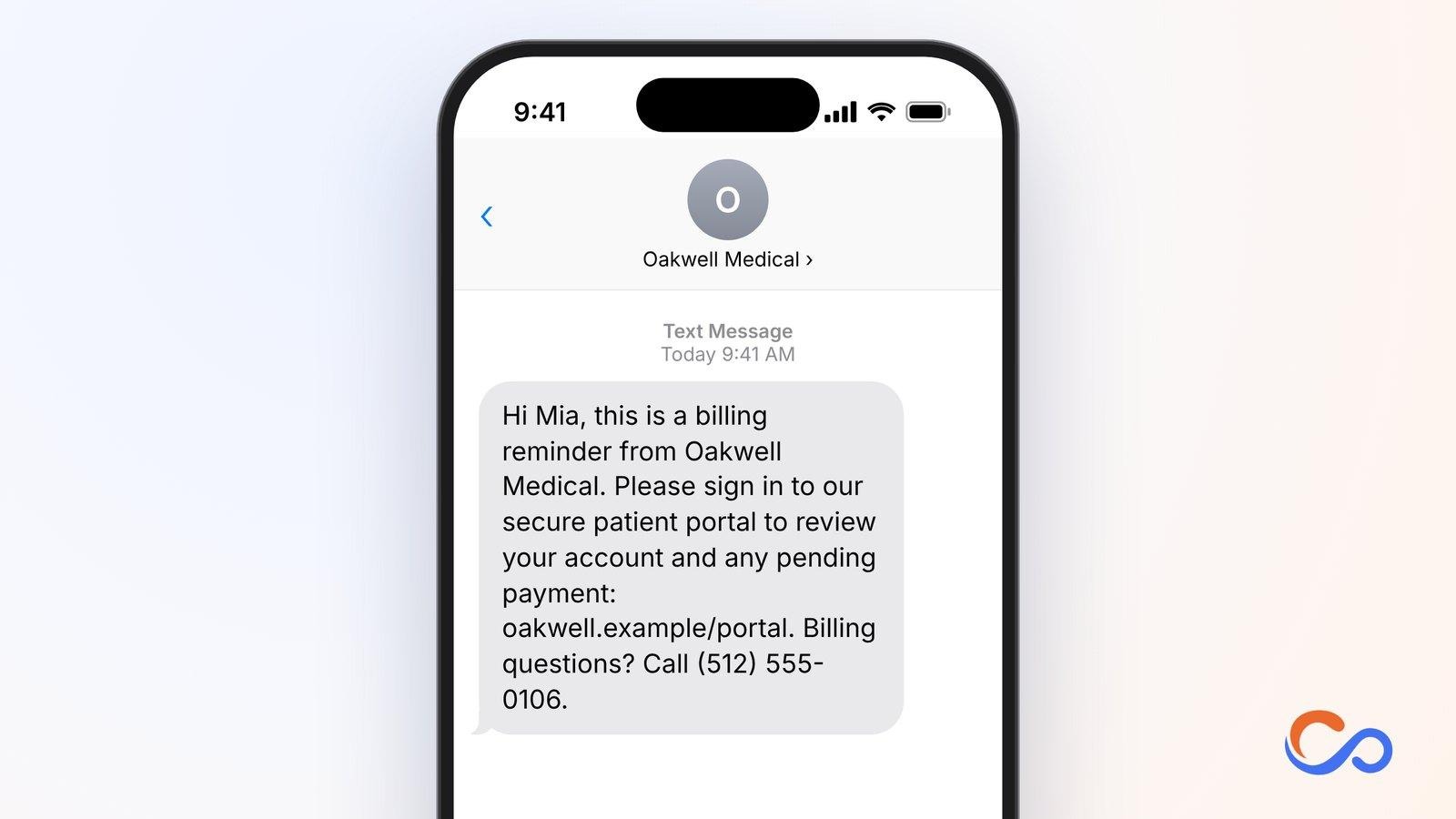
9. Healthcare Payment Reminder Text
Healthcare fees or charges may remain outstanding. A payment reminder should direct patients to a secure billing portal while avoiding medical details in the message.
Who should use it and how
Hospital billing teams, clinics, and diagnostic centres can send reminders for a verified payment obligation where the applicable messaging permissions are in place.
Key elements to include
- Patient name
- Organisation
- Neutral billing reference
- Secure portal
- Billing contact
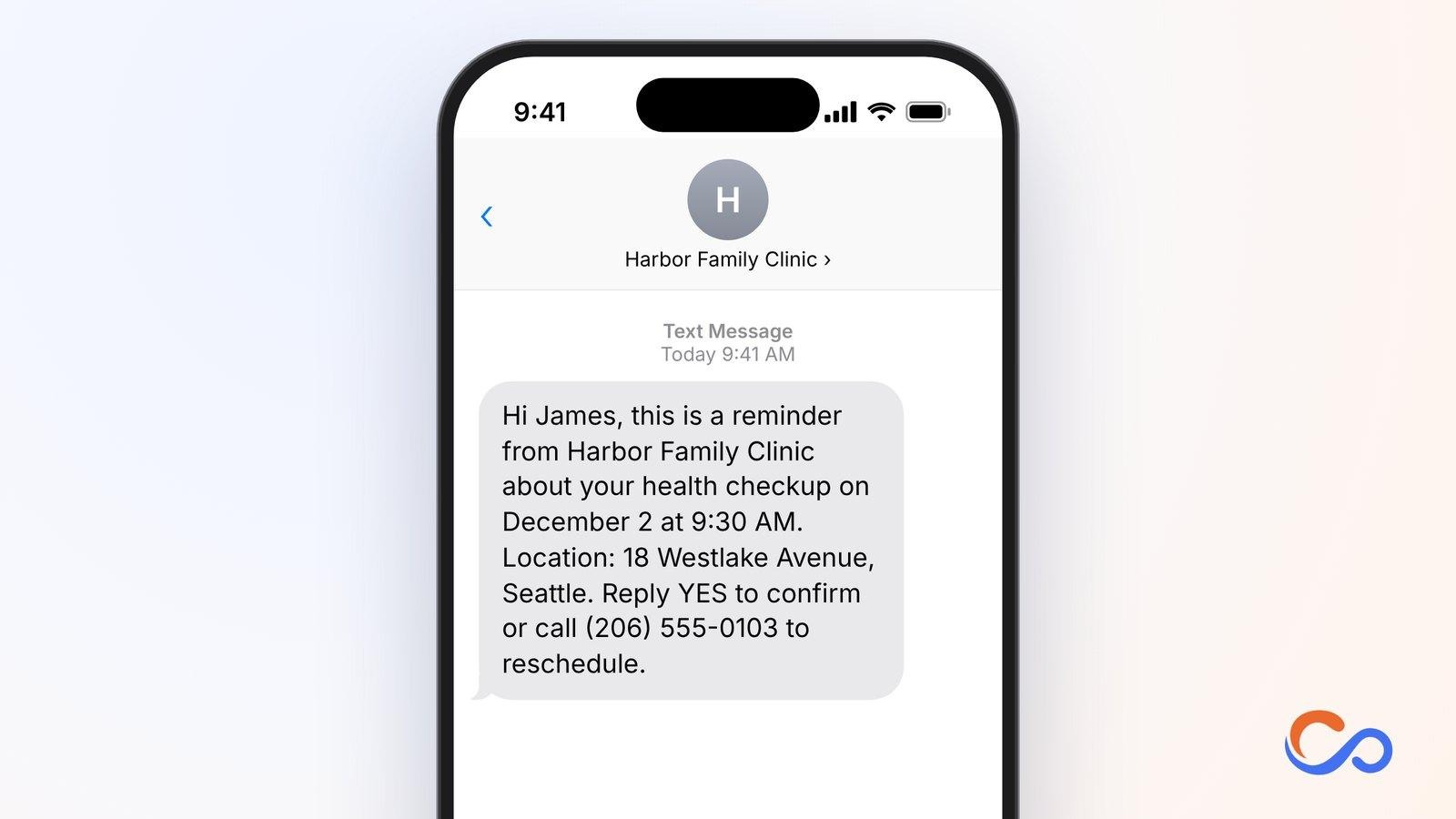
10. Preventive Health Checkup Appointment Reminder Text
Routine checkups booked in advance can be easy to overlook. A reminder helps patients prepare and make schedule changes if needed.
Who should use it and how
Hospitals, preventive care clinics, primary care practices, and wellness centres can send this before a booked routine checkup.
Key elements to include
- Patient name
- Clinic
- Checkup date and time
- Address
- Confirmation or rescheduling
Education Appointment Reminder Text Message Templates
Educational institutions use appointment reminder text messages to communicate with prospective students, enrolled students, parents, and guardians. These messages help coordinate admission counselling sessions, campus tours, parent-teacher meetings, interviews, and other activities. Schools, colleges, universities, tutoring centres, and training institutes can use these templates to confirm appointments, communicate changes, and follow up.
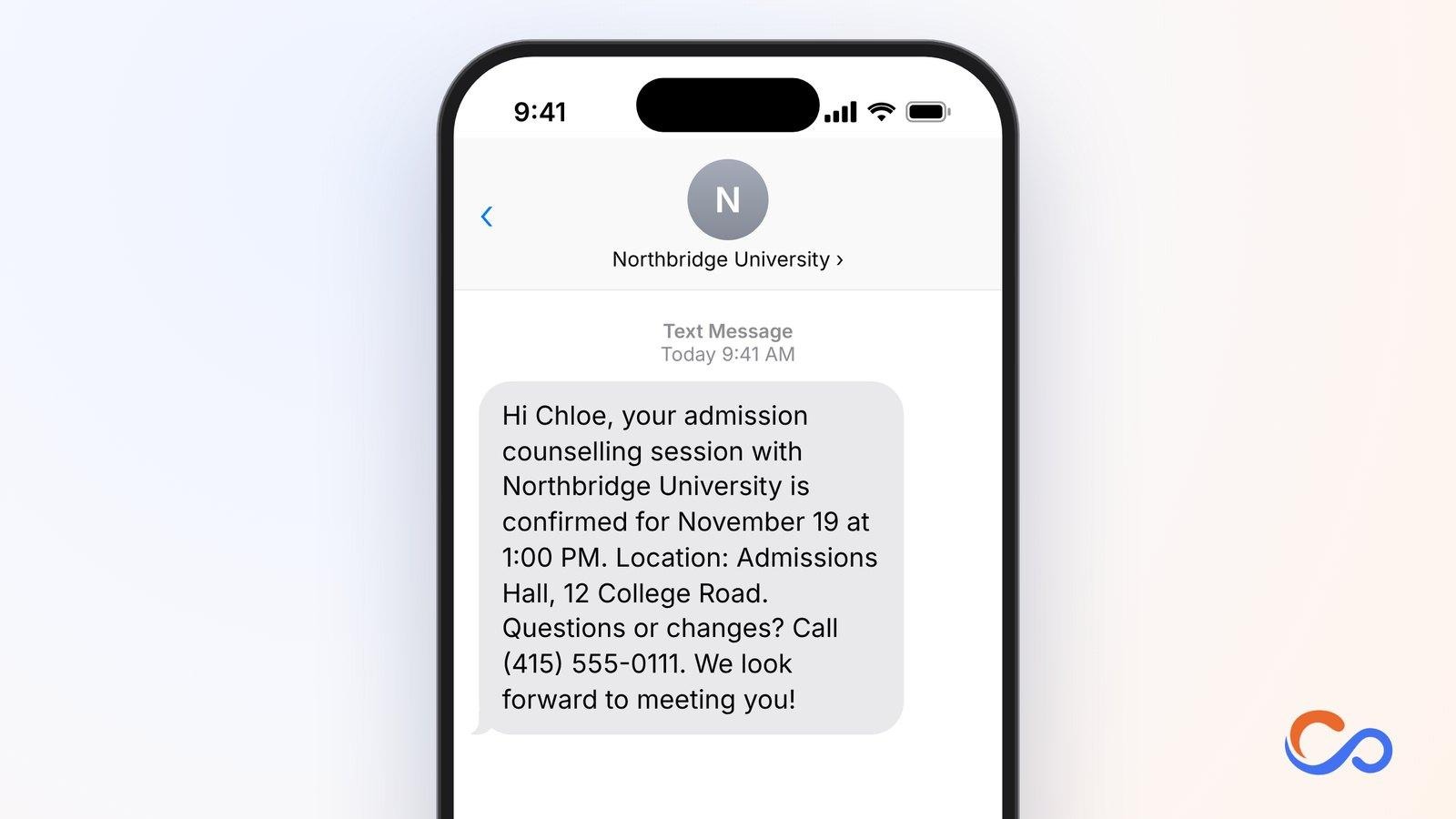
11. Student Admission Counselling Appointment Confirmation Text
Admission counselling lets applicants discuss courses, eligibility, fees, and application procedures. A confirmation helps them remember the session and prepare documents and questions.
Who should use it and how
University admission teams, colleges, vocational institutes, and education consultants can send it immediately after a booking.
Key elements to include
- Student name
- Institution
- Session date and time
- Location or virtual link
- Support contact
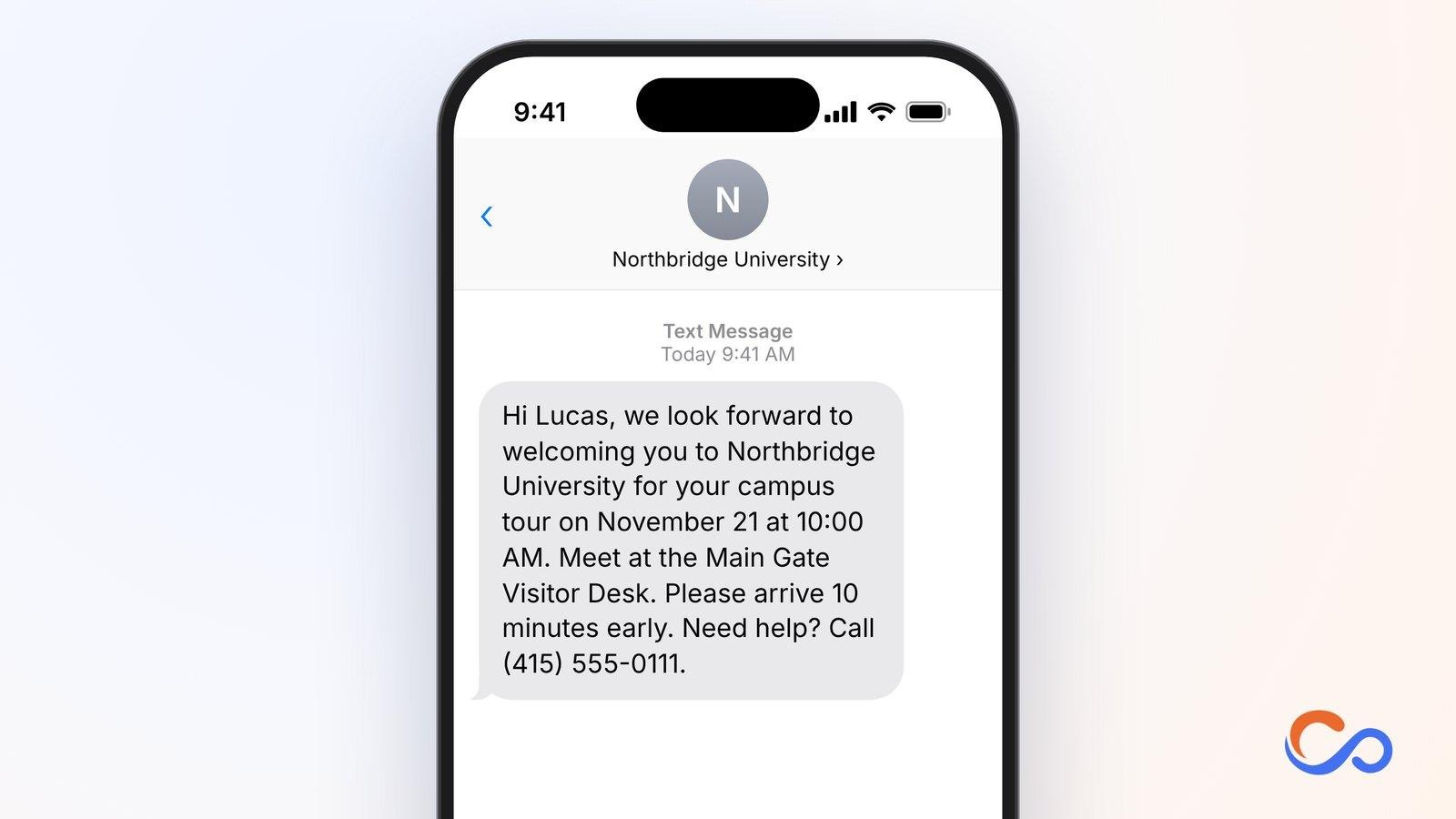
12. Campus Tour Appointment Reminder Text
Campus tours let students and families see facilities and services. Reminders clarify reporting time, meeting point, and who to contact.
Who should use it and how
University admissions offices, colleges, boarding schools, and private institutions can send this 24–48 hours before a visit.
Key elements to include
- Visitor name
- Institution
- Tour date and time
- Meeting point
- Support number
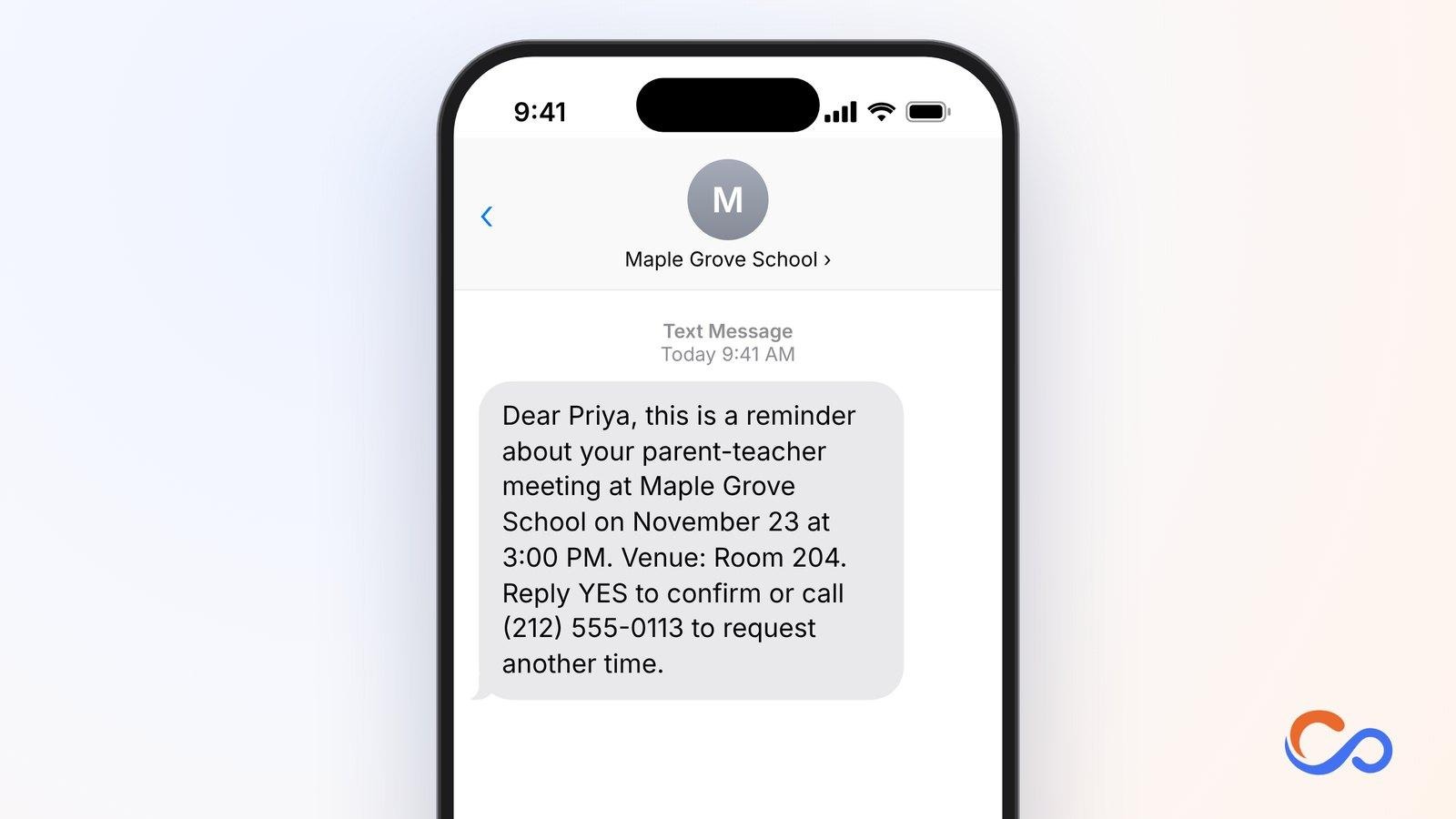
13. Parent-Teacher Meeting Reminder Text
Parent-teacher meetings give families and educators time to discuss student progress. Reminders help parents attend their assigned slot.
Who should use it and how
Schools, preschools, tutoring centres, and other institutions can send them to parents or guardians one or two days before a meeting.
Key elements to include
- Parent name
- School
- Date and time
- Room
- Confirmation or change instructions
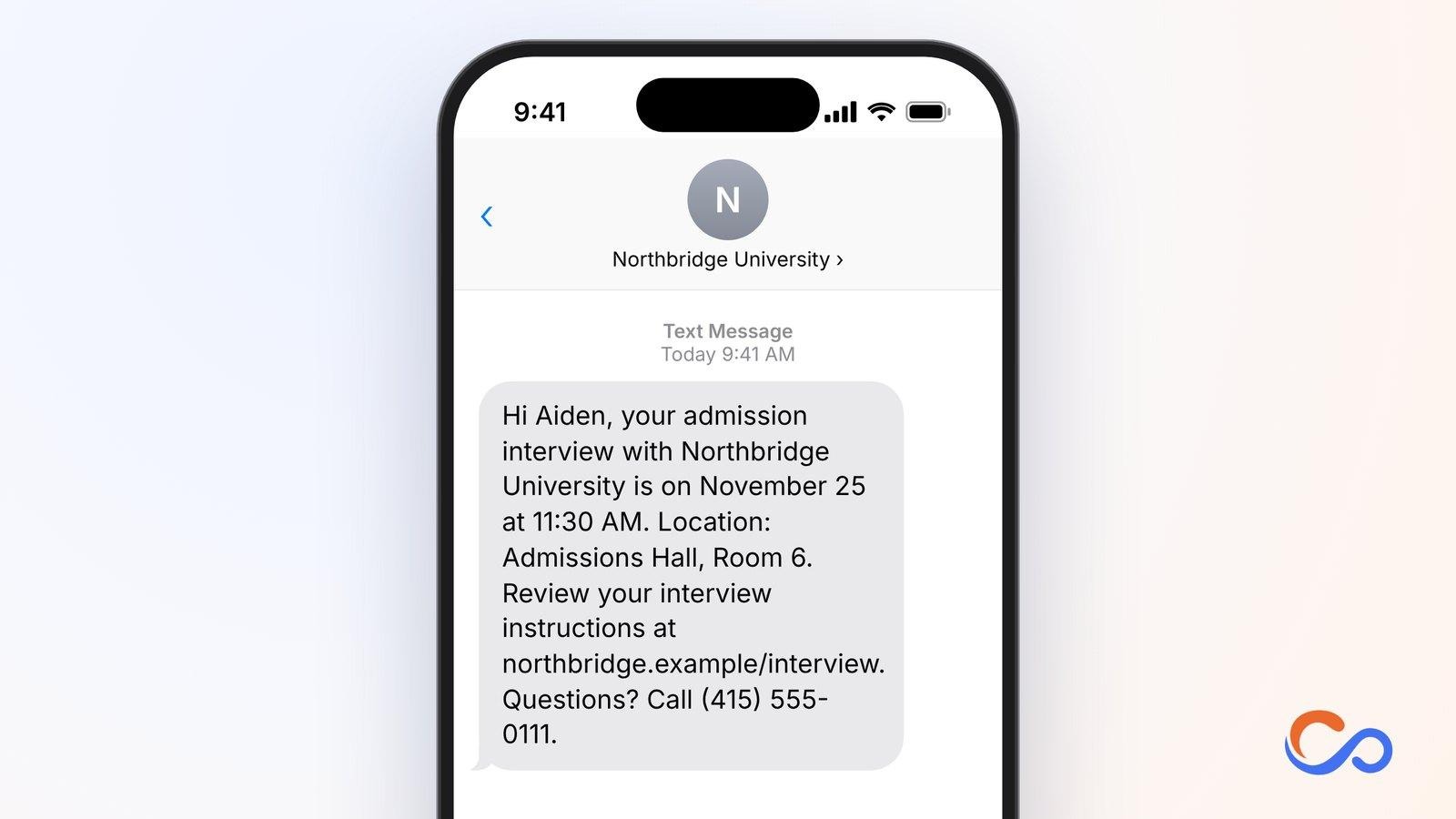
14. Student Interview Appointment Reminder Text
Admission interviews require applicants to verify the correct time and prepare materials. A reminder reduces the risk of missing the scheduled slot.
Who should use it and how
University admissions teams, schools, scholarship administrators, and institutes can send this 24–48 hours before an interview.
Key elements to include
- Applicant name
- Institution
- Interview date and time
- Location/link
- Interview instructions
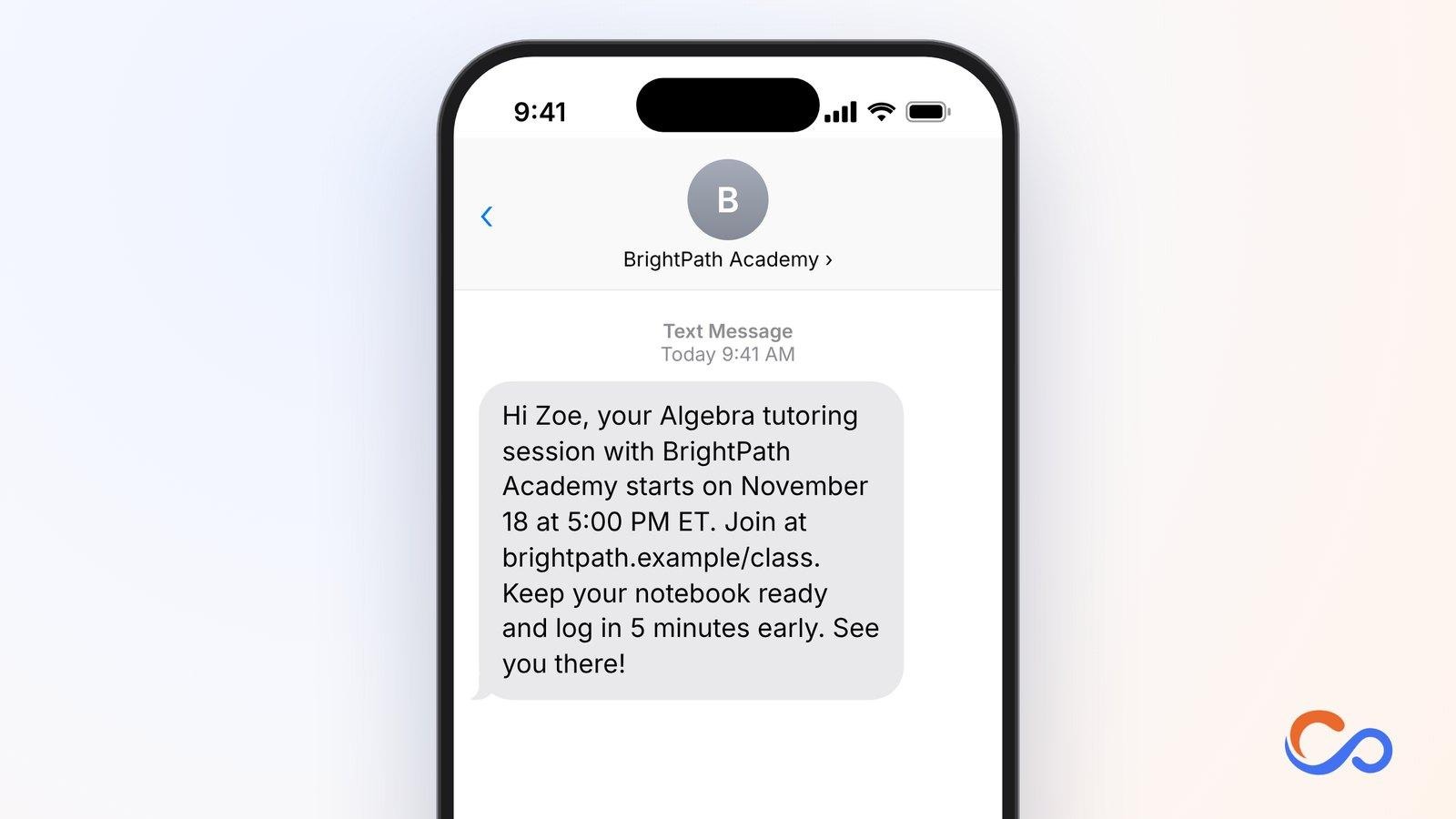
15. Online Class or Tutoring Session Reminder Text
Online learners need the correct joining link, start time, and learning materials. A timely message supports an on-time start.
Who should use it and how
Tutoring providers, coaching centres, language schools, and online training platforms can send it shortly before class.
Key elements to include
- Student name
- Course
- Date and time
- Classroom link
- Required materials
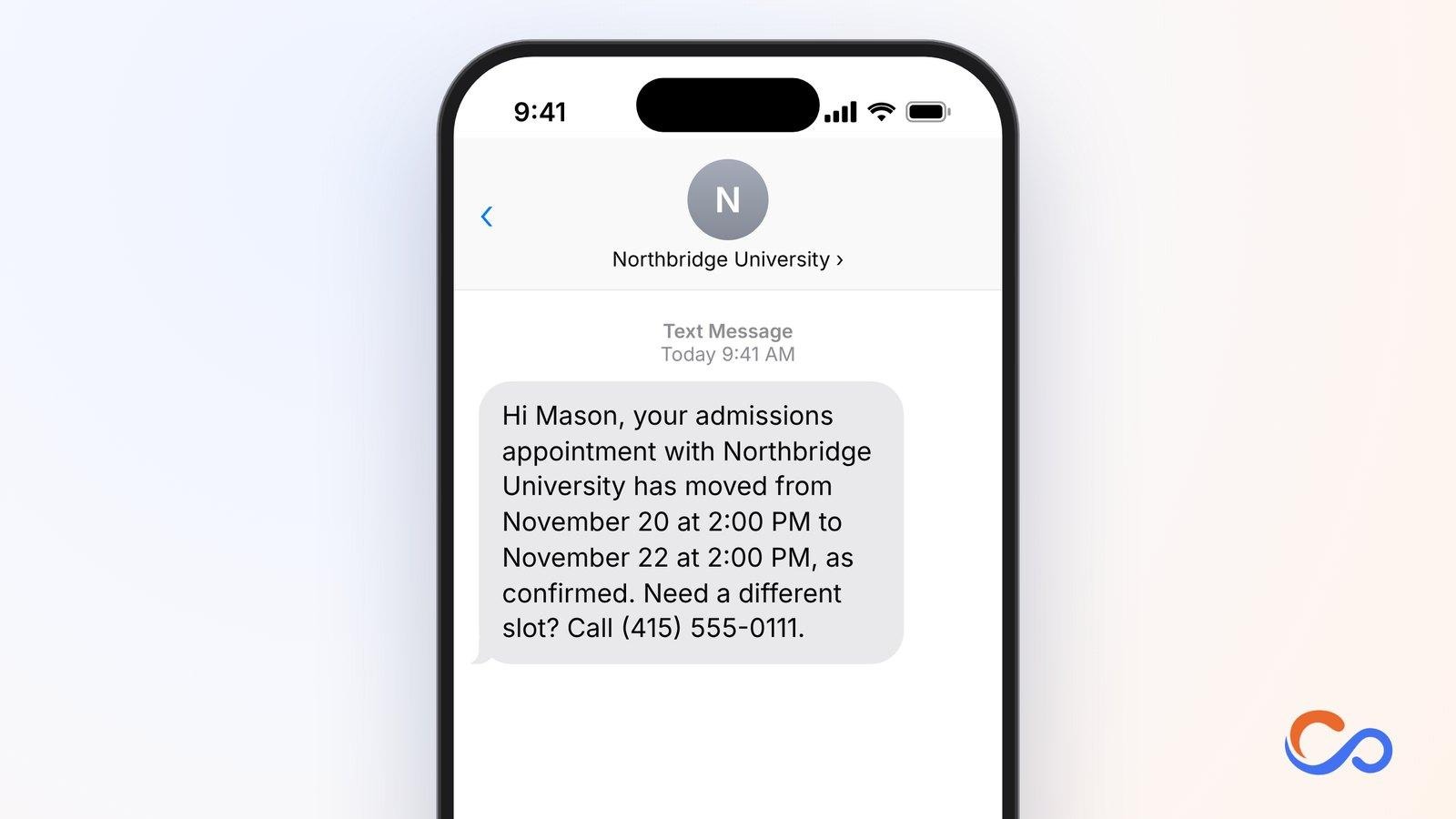
16. Education Appointment Rescheduling Text
Educational appointments change because of scheduling conflicts or other events. A prompt update keeps applicants and families from attending at the old time.
Who should use it and how
Schools, colleges, universities, education consultants, and training institutes can send it as soon as a change is confirmed.
Key elements to include
- Recipient name
- Institution
- Original time
- New time
- Contact for alternatives
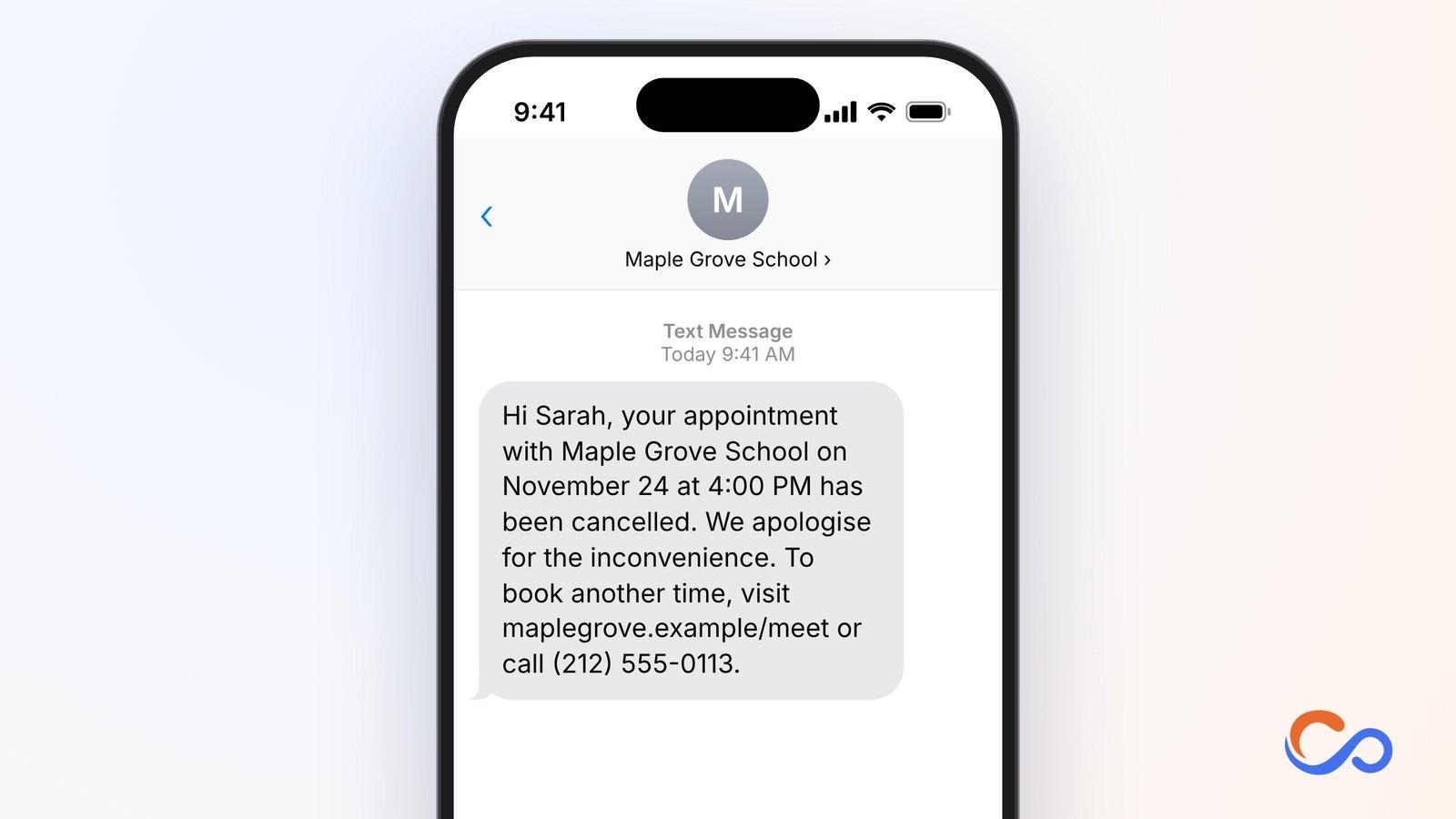
17. Education Appointment Cancellation Text
Cancellation notices prevent unnecessary travel or attendance at virtual sessions that will no longer happen. They should provide a straightforward route to rebook.
Who should use it and how
Admissions offices, schools, universities, and educational institutions should send them immediately after a confirmed cancellation.
Key elements to include
- Name.
- Institution
- Cancelled date and time
- Clear cancellation
- Rebooking route
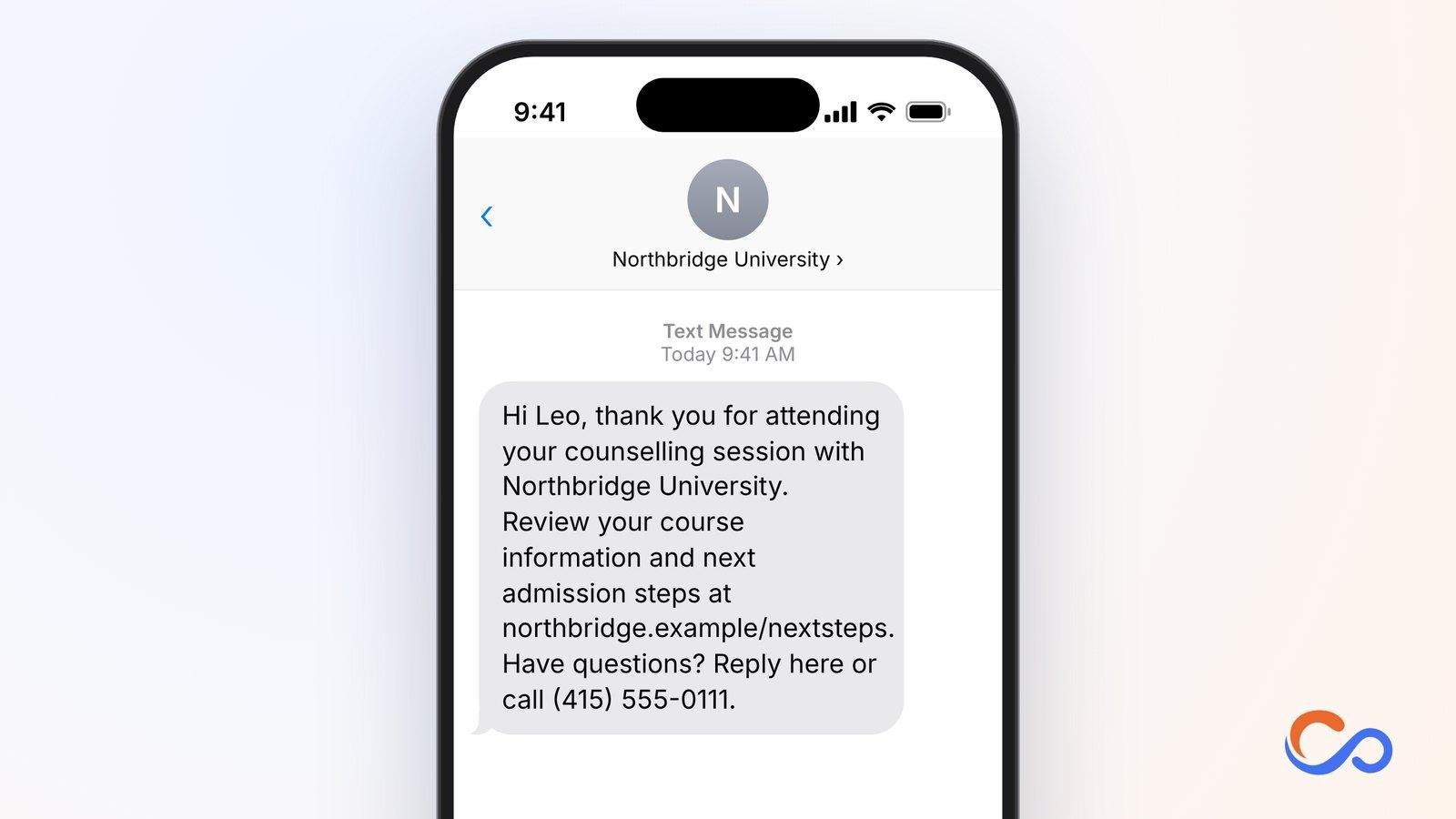
18. Post-Counselling Follow-Up Text
After counselling, applicants may need to review programmes, upload documents, or proceed with applications. A follow-up should state the action agreed during the discussion.
Who should use it and how
University admissions teams, education consultants, coaching institutes, and training providers can send it within 24–48 hours after counselling.
Key elements to include
- Student name
- Institution
- Completed session
- Next step
- Support contact
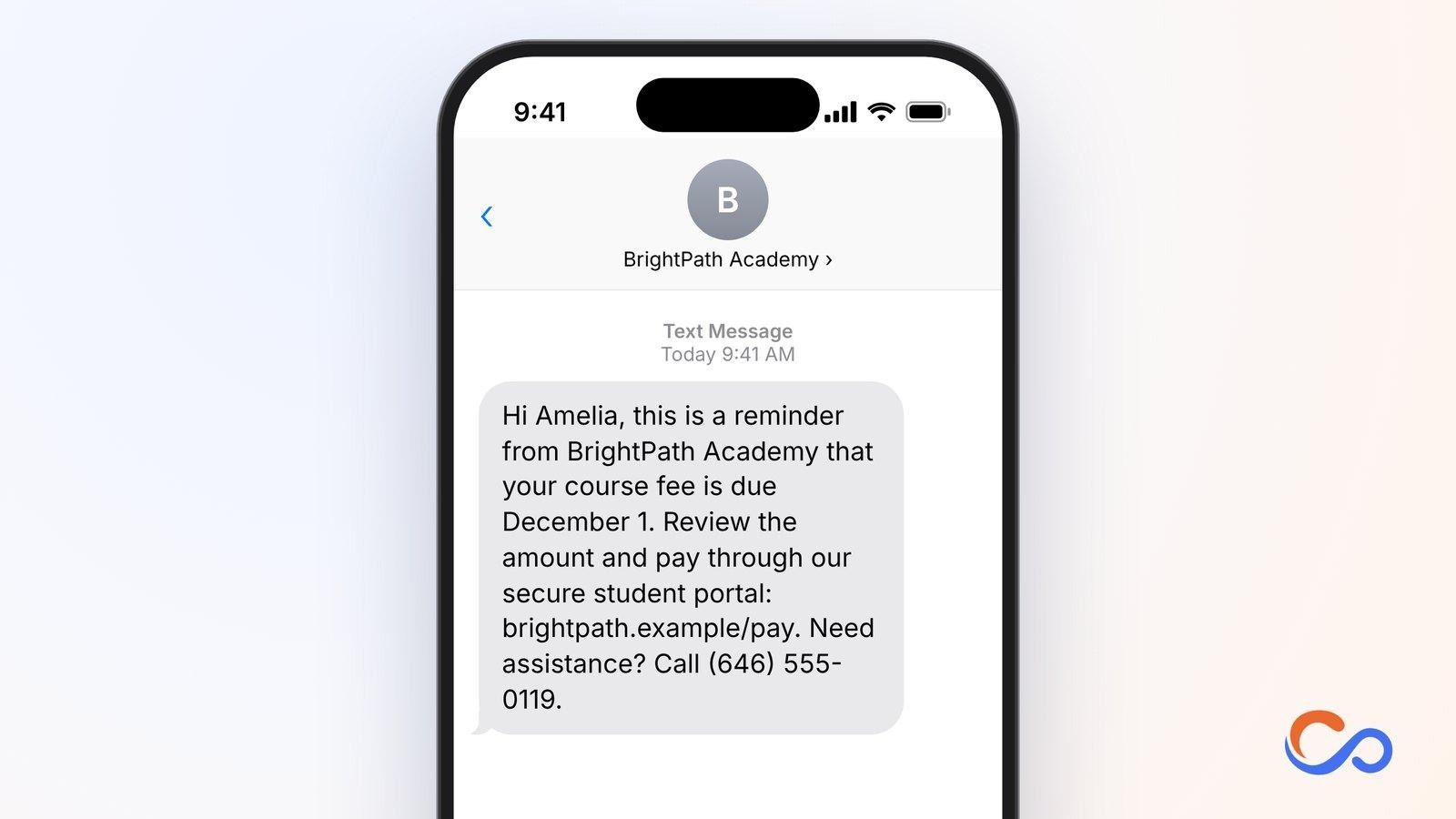
19. Course Fee Payment Reminder Text
Fee reminders help students and guardians keep track of tuition, admission, or installment due dates without exposing billing details in SMS.
Who should use it and how
Schools, universities, coaching centres, vocational institutes, and online education providers can send a reminder before a due date or after verifying non-payment.
Key elements to include
- Recipient name
- Institution
- Due date
- Official payment portal
- Billing help
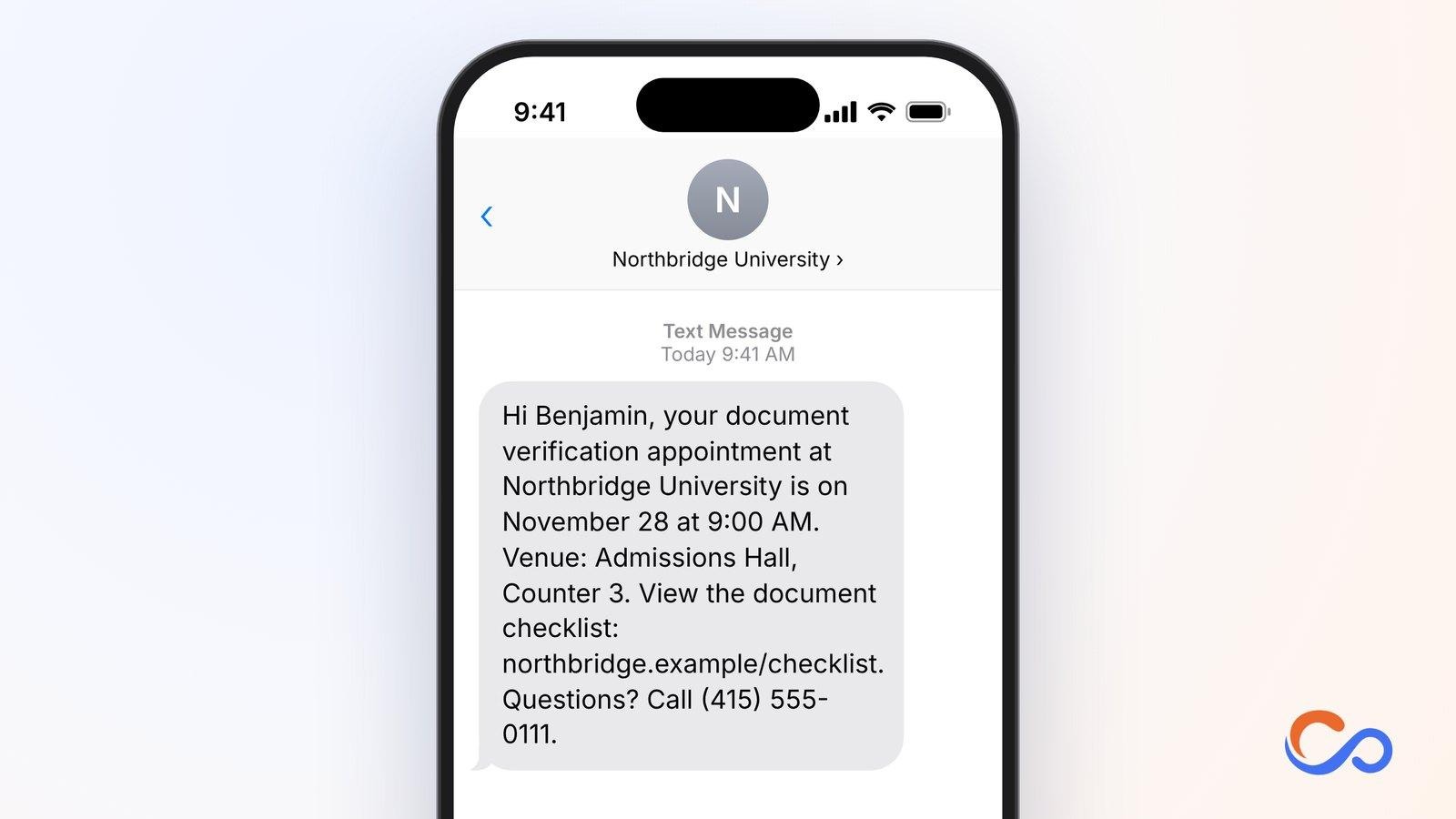
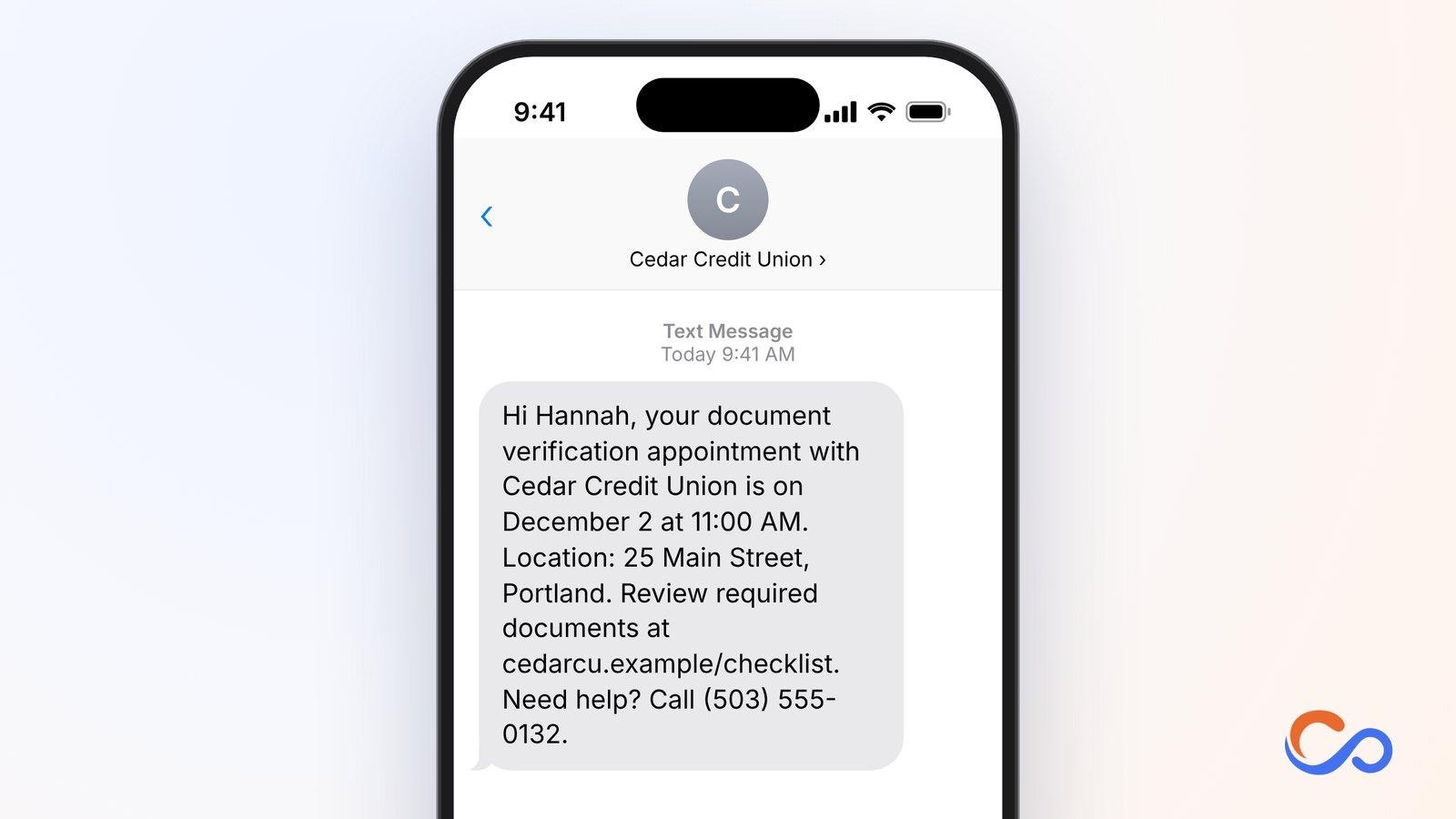
20. Document Verification Appointment Reminder Text
Admission and enrolment sometimes require certificates, transcripts, and identification. A reminder gives applicants time to prepare their checklist and avoid an extra visit.
Who should use it and how
Admissions departments, scholarship offices, colleges, schools, and vocational institutes can send it 24–48 hours before verification.
Key elements to include
- Applicant name
- Institution
- Verification date and time
- Location
- Document checklist link
Real Estate Appointment Reminder Text Message Templates
Real estate appointments often involve buyers, sellers, agents, property managers, and inspectors. A missed property viewing or delayed meeting can disrupt schedules, particularly when access requires coordination. Real estate agencies, developers, brokerages, and property managers can use these messages to confirm viewings, communicate changes, coordinate inspections, and follow up.
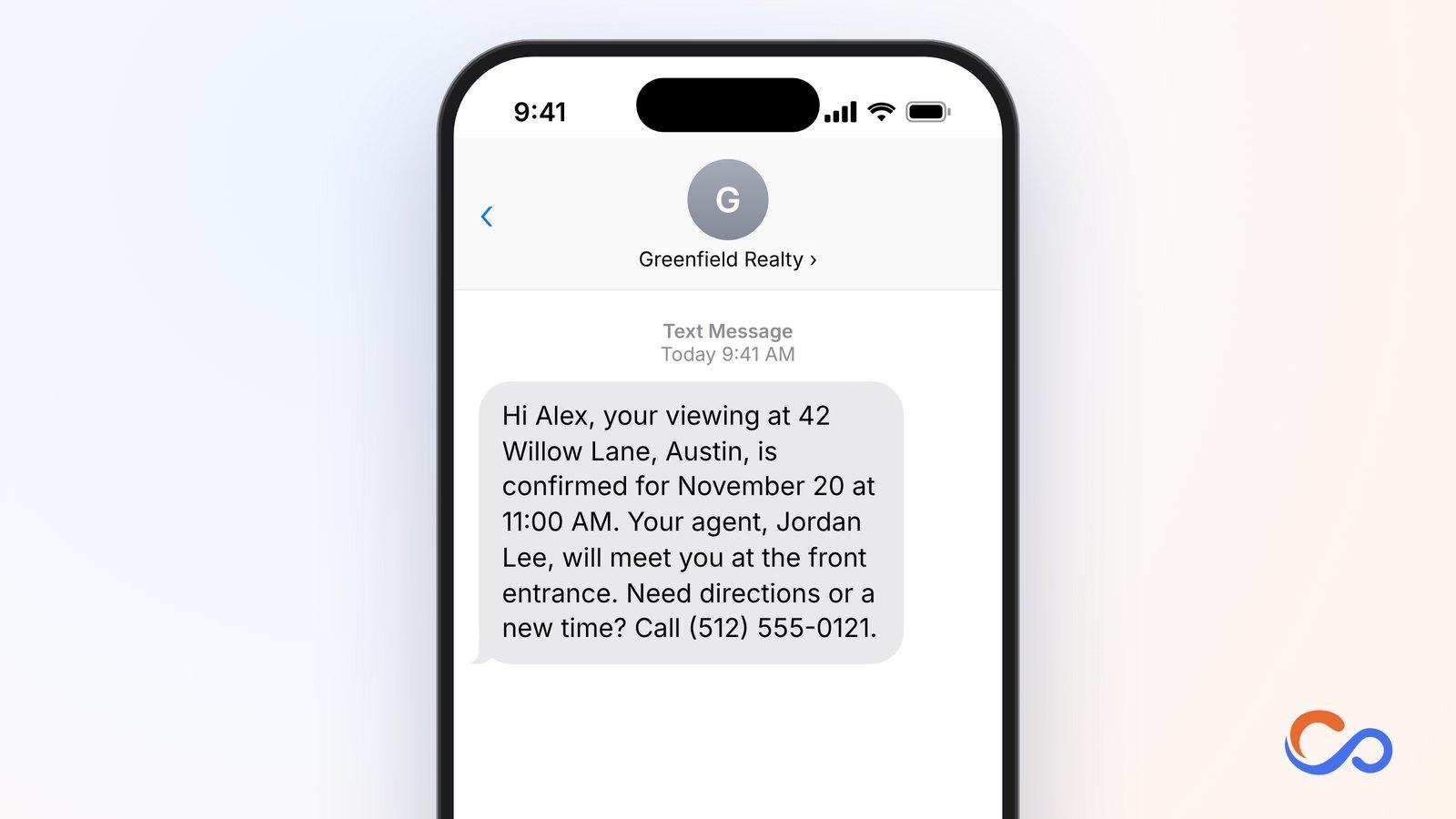
21. Property Viewing Appointment Confirmation Text
Buyers may schedule several viewings. Confirmation helps them identify the property, track the appointment, and contact the agent if plans change.
Who should use it and how
Real estate agents, brokerages, and developers can send it immediately after confirming a viewing with a buyer or tenant.
Key elements to include
- Buyer name
- Agent
- Property/address
- Confirmed date/time
- Meeting point
- Contact
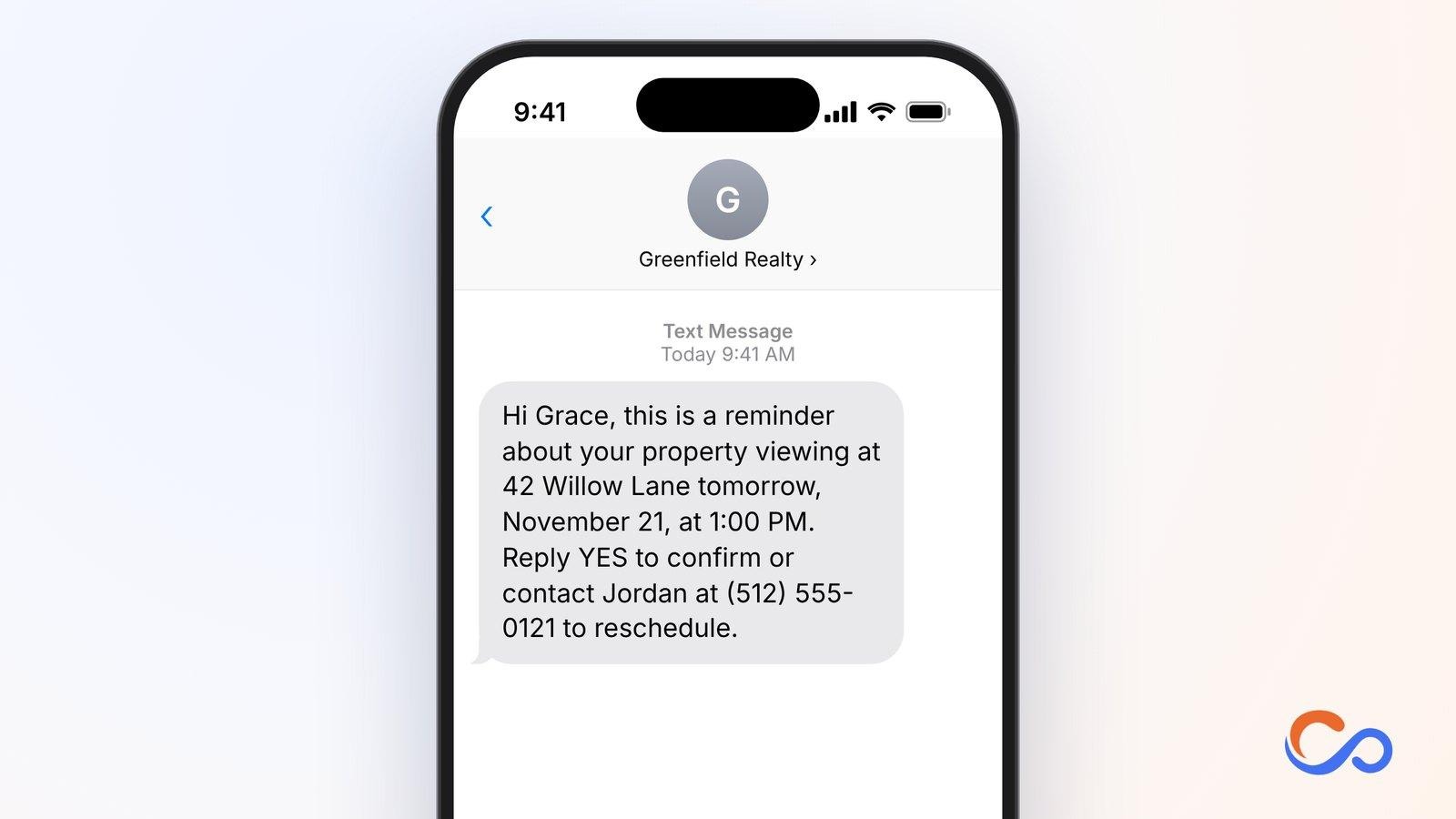
22. 24-Hour Property Viewing Reminder Text
Property viewings involve travel and coordination with owners or occupants. A day-before message helps buyers plan and lets agents check attendance.
Who should use it and how
Real estate agents, leasing teams, and property managers can send it about 24 hours before a viewing.
Key elements to include
- Visitor
- Property address
- Date and time
- Confirmation request
- Rescheduling contact
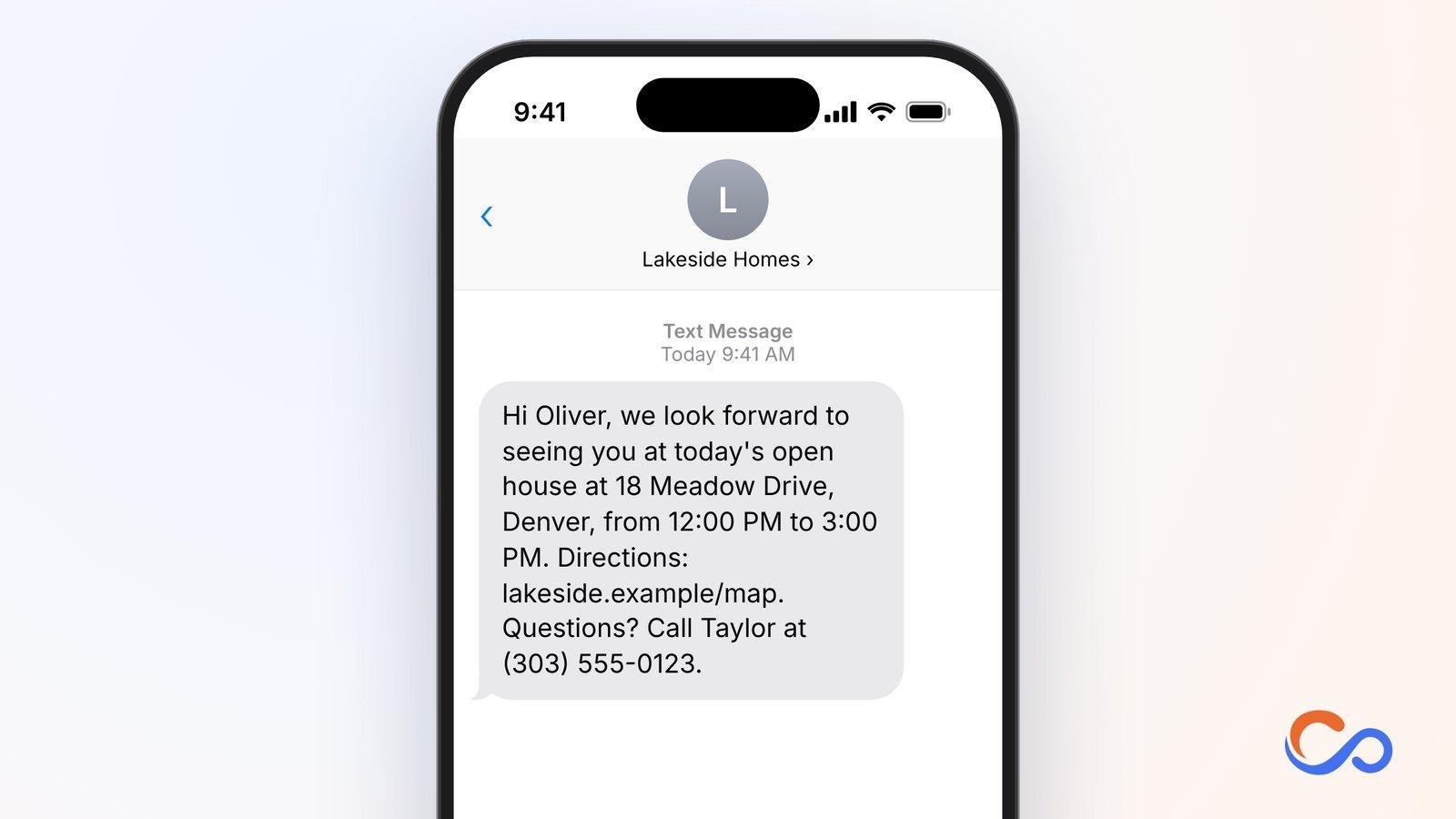
23. Same-Day Open House Appointment Reminder Text
An open house may receive multiple visitors in a limited window. Same-day texts remind registered guests about the schedule and directions.
Who should use it and how
Agencies, developers, and listing agents can send them on the event morning or a few hours before the registered visit.
Key elements to include
- Visitor
- Property
- Opening hours
- Directions link
- Agent contact
24. Virtual Property Tour Appointment Reminder Text
Remote buyers and agents still need to attend a virtual tour at the agreed time and have reliable access to the platform.
Who should use it and how
Agents, developers, relocation specialists, and agencies working with remote clients can send this before a booked virtual tour.
Key elements to include
- Buyer name
- Property
- Date and time with time zone
- Meeting link
- Agent contact
25. Real Estate Consultation Appointment Reminder Text
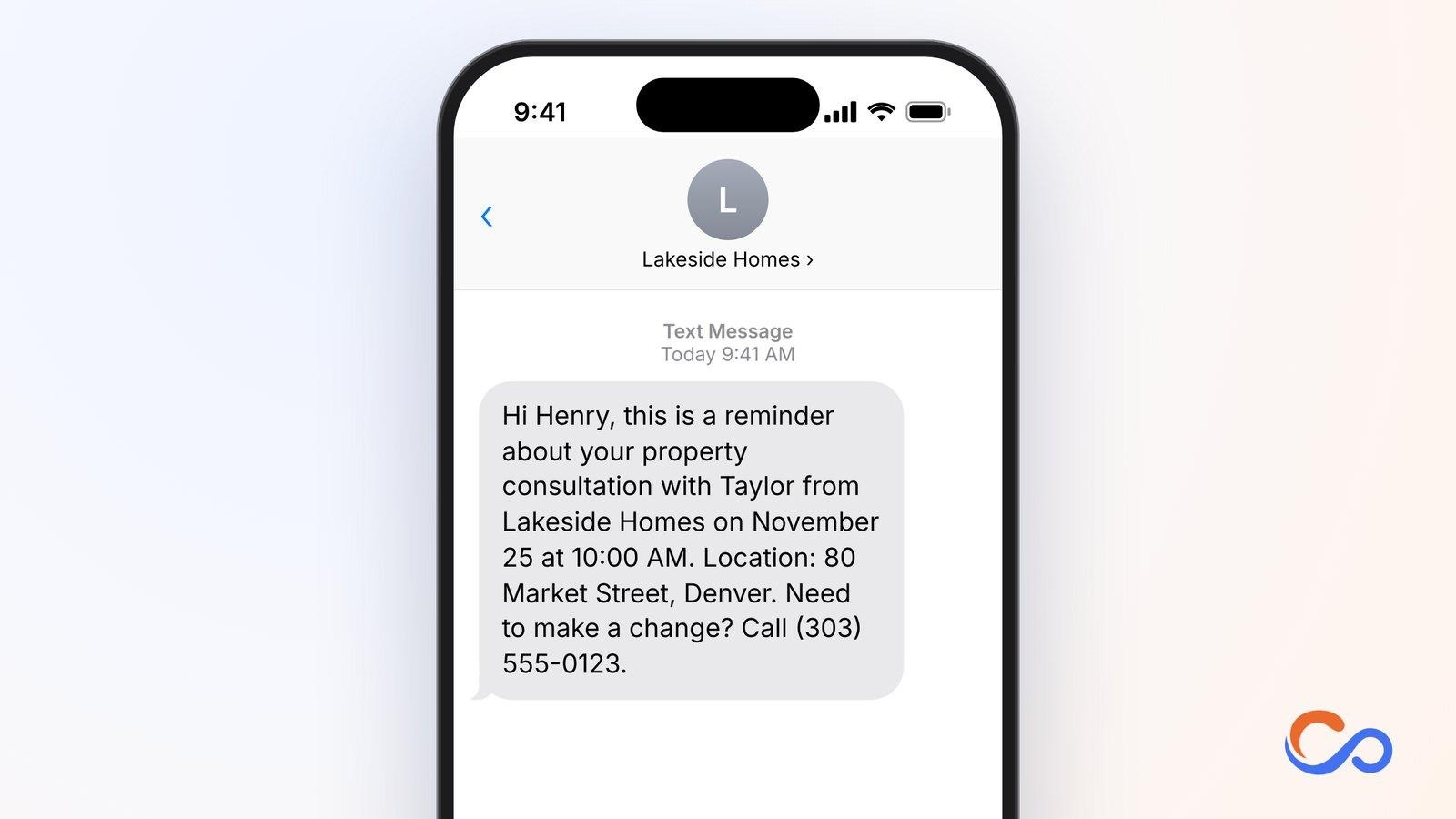
Buyers and sellers may meet agents to discuss property needs, pricing, listings, and transaction steps. A reminder helps both sides prepare and attend.
Who should use it and how
Agents, consultants, brokerages, and advisory firms can send it 24 hours before a confirmed consultation.
Key elements to include
- Client name
- Agent and agency
- Date and time
- Meeting place
- Rescheduling contact
26. Property Visit Rescheduling Text
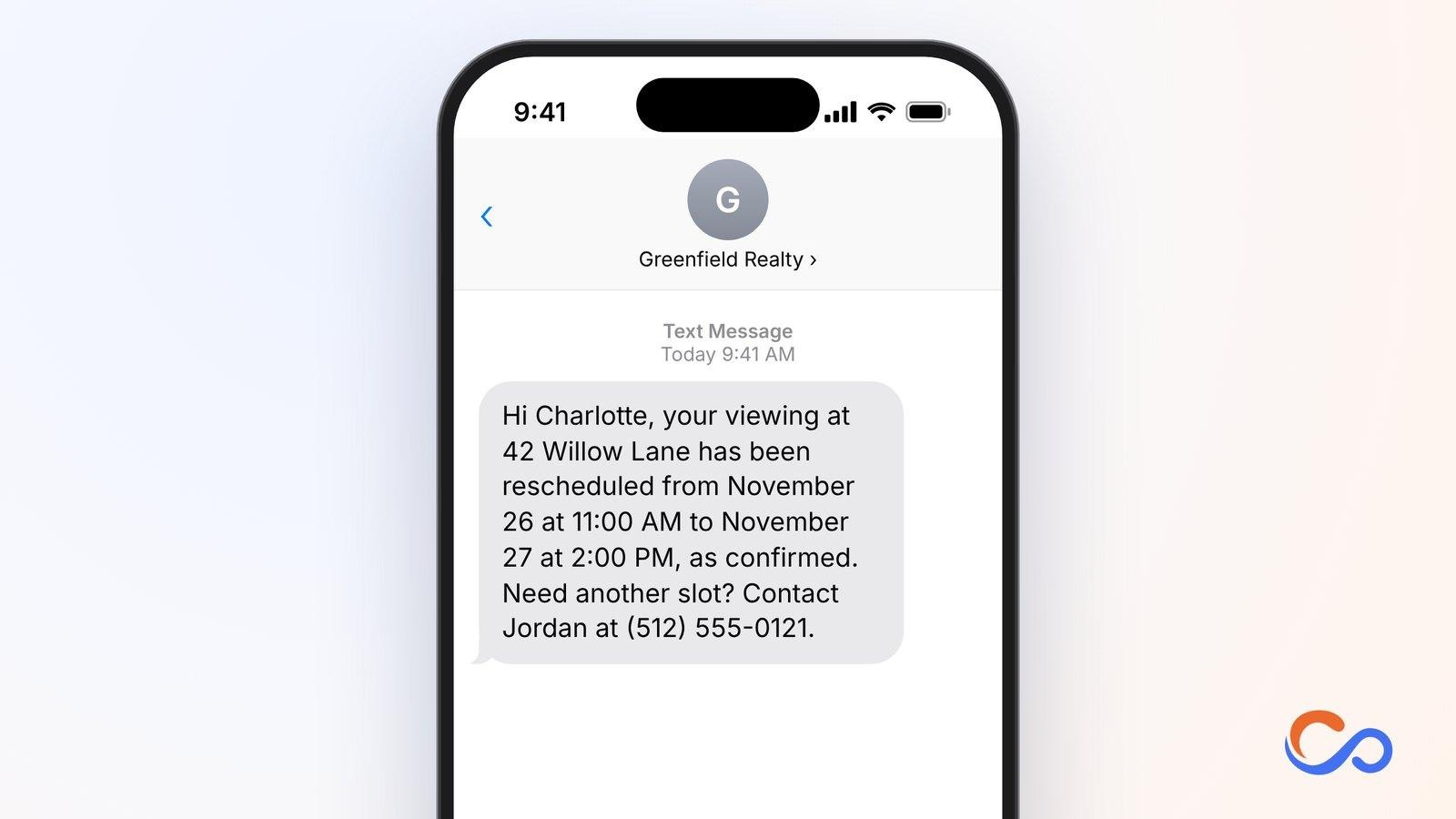
Viewings may change because of access restrictions or scheduling conflicts. Fast notification prevents unnecessary travel.
Who should use it and how
Agents, property management teams, and developer sales offices can send this after a revised time is confirmed. Proposed times should be described as proposals until accepted.
Key elements to include
- Visitor
- Property
- Original date/time
- New date/time
- Alternatives contact
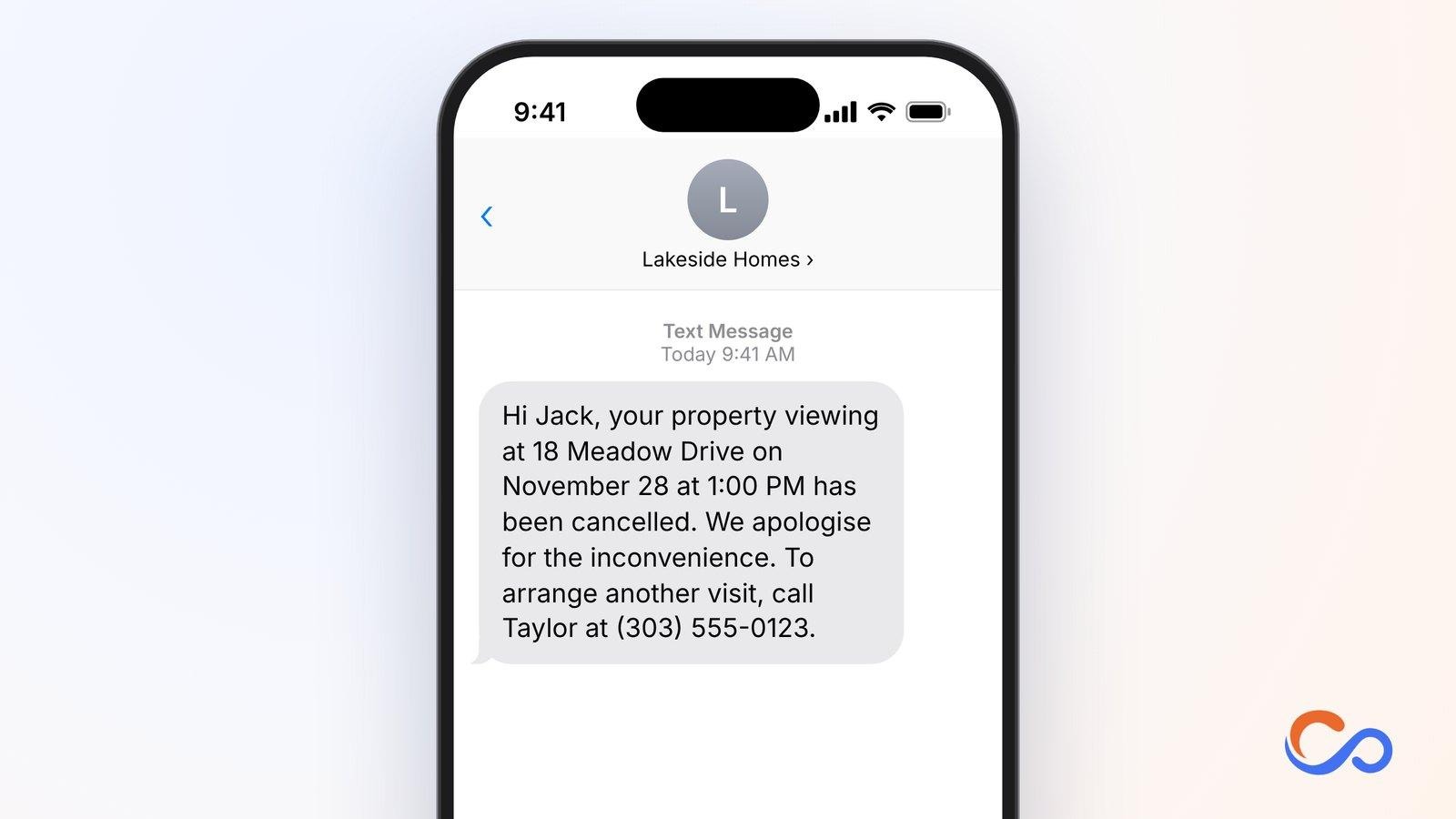
27. Property Viewing Cancellation Text
A viewing may be cancelled when access changes, the property is unavailable, or plans change. The notification keeps all parties informed and explains how to book again.
Who should use it and how
Agents, developers, leasing teams, and property managers can send this immediately after a cancellation is confirmed.
Key elements to include
- Recipient
- Property
- Cancelled date/time
- Explicit cancellation
- Agent contact
28. Post-Property Viewing Follow-Up Text
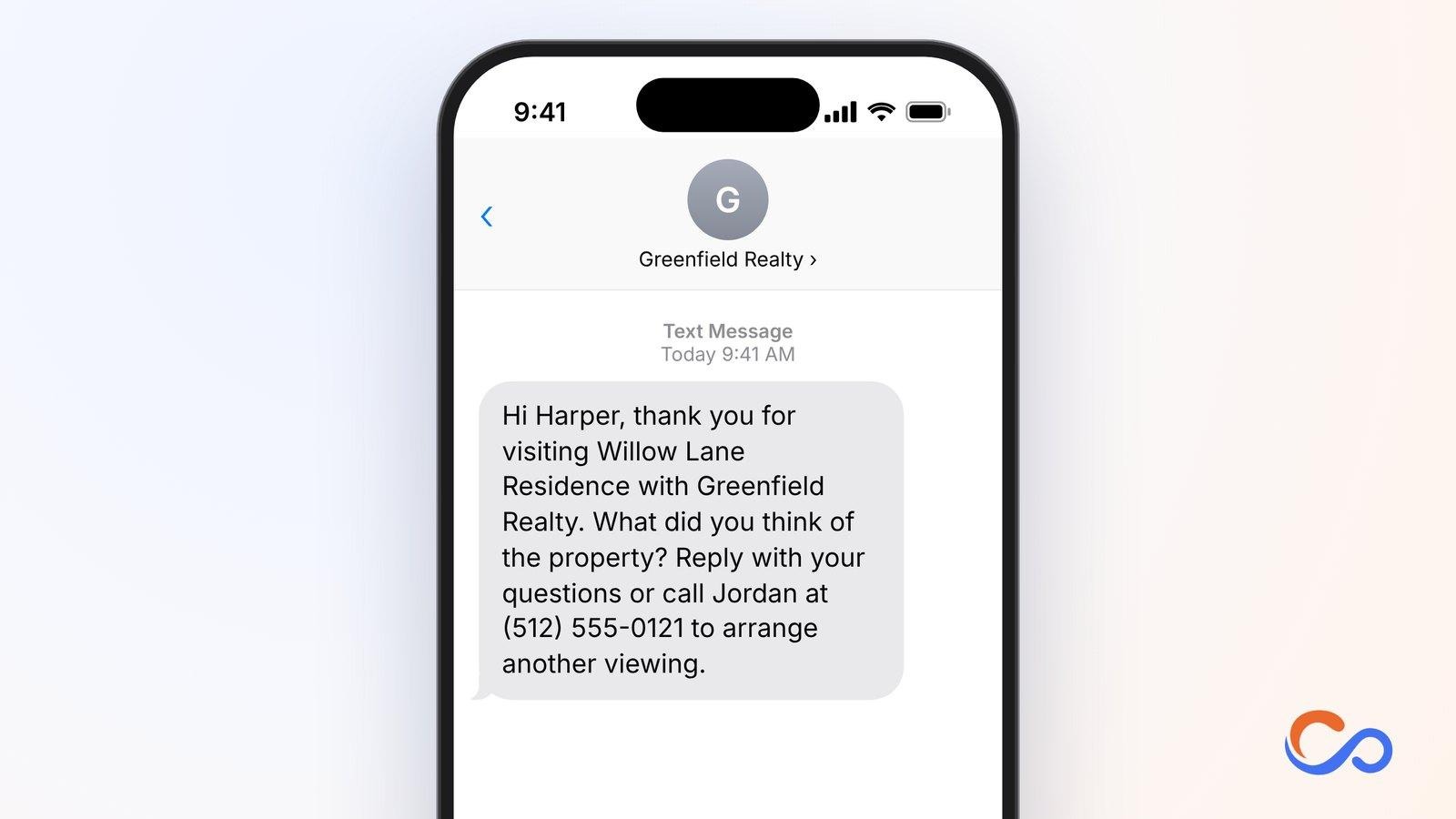
After seeing a property, buyers often compare alternatives or discuss next steps. A follow-up makes it easy to ask questions, give feedback, or plan another visit.
Who should use it and how
Agents, brokerages, developers, and leasing consultants can send it within 24–48 hours after the visit.
Key elements to include
- Visitor
- Property
- Thank-you
- Feedback question
- Agent contact
29. Property Booking Payment Reminder Text
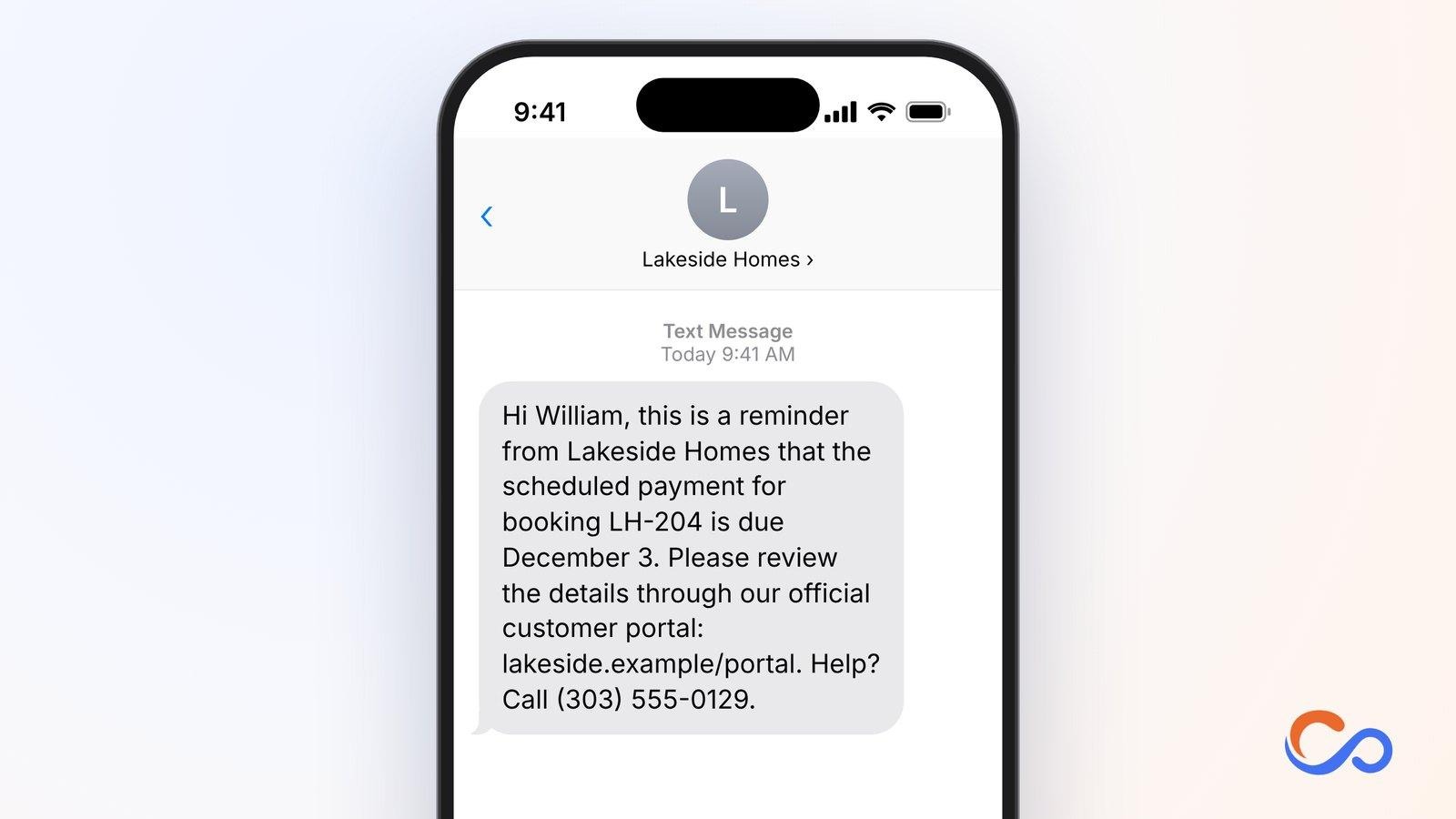
Transactions may involve deposits or scheduled booking payments. Reminders should reference documented obligations and direct people to an established, verified payment channel.
Who should use it and how
Developers, authorised agencies, and transaction teams can send payment reminders when a documented sum is due.
Key elements to include
- Buyer
- Developer/agency
- Booking reference
- Payment due date
- Verified portal and contact
30. Property Inspection Appointment Reminder Text
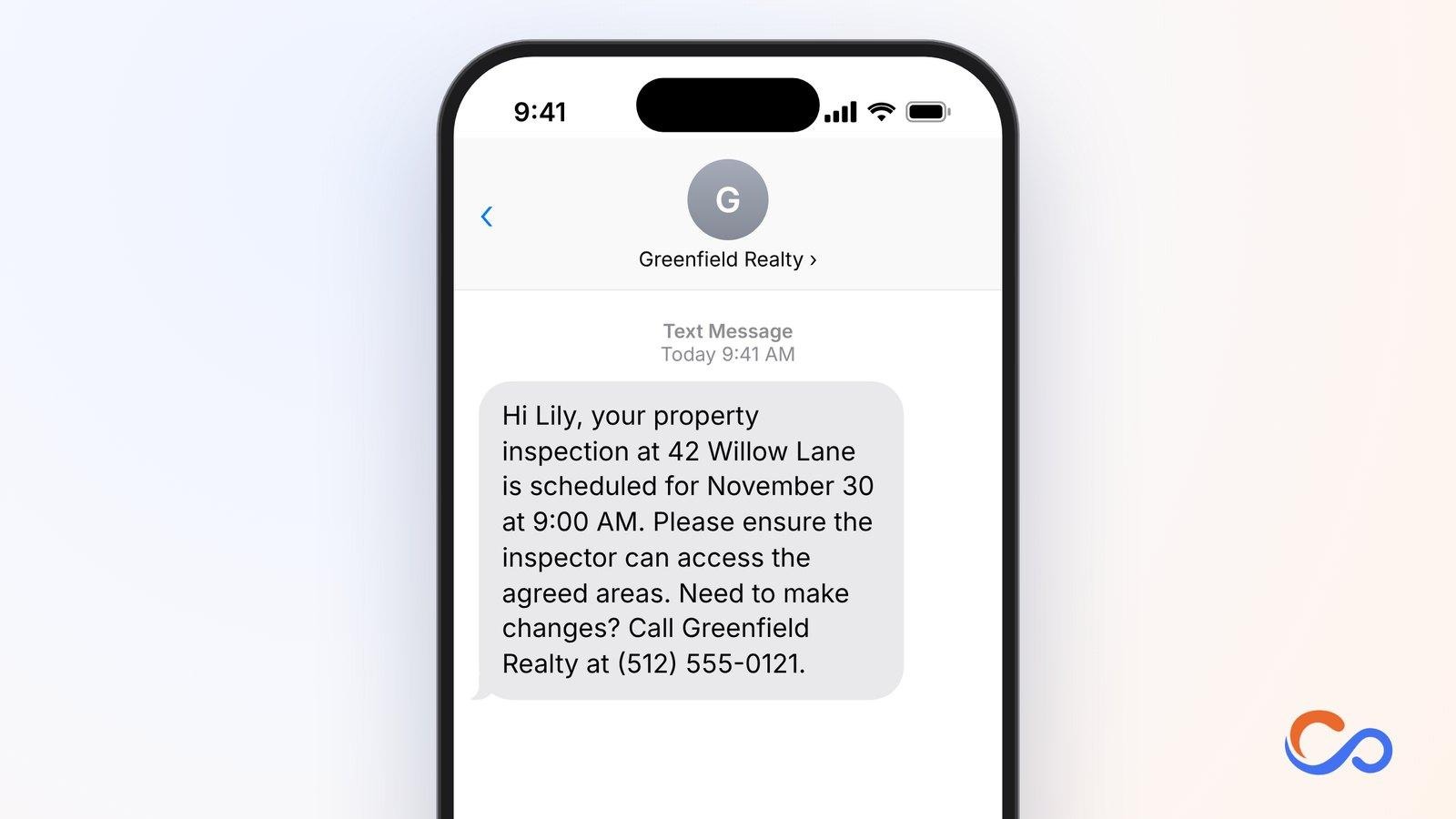
Inspections require access coordination among inspectors, owners, tenants, buyers, and managers. Missed appointments can delay a handover or transaction.
Who should use it and how
Inspectors, agents, property managers, and rental teams can send it 24–48 hours before a scheduled inspection.
Key elements to include
- Recipient
- Property address
- Inspection date/time
- Access instructions
- Contact
Finance Appointment Reminder Text Message Templates
Financial appointments often cover loans, taxes, insurance, investments, and financial planning. A missed meeting can delay applications, document reviews, or decisions. Banks, credit unions, accountants, insurers, mortgage lenders, and advisors can use these texts to confirm meetings, communicate schedule changes, request documents, and follow up. Keep sensitive financial information out of ordinary SMS.
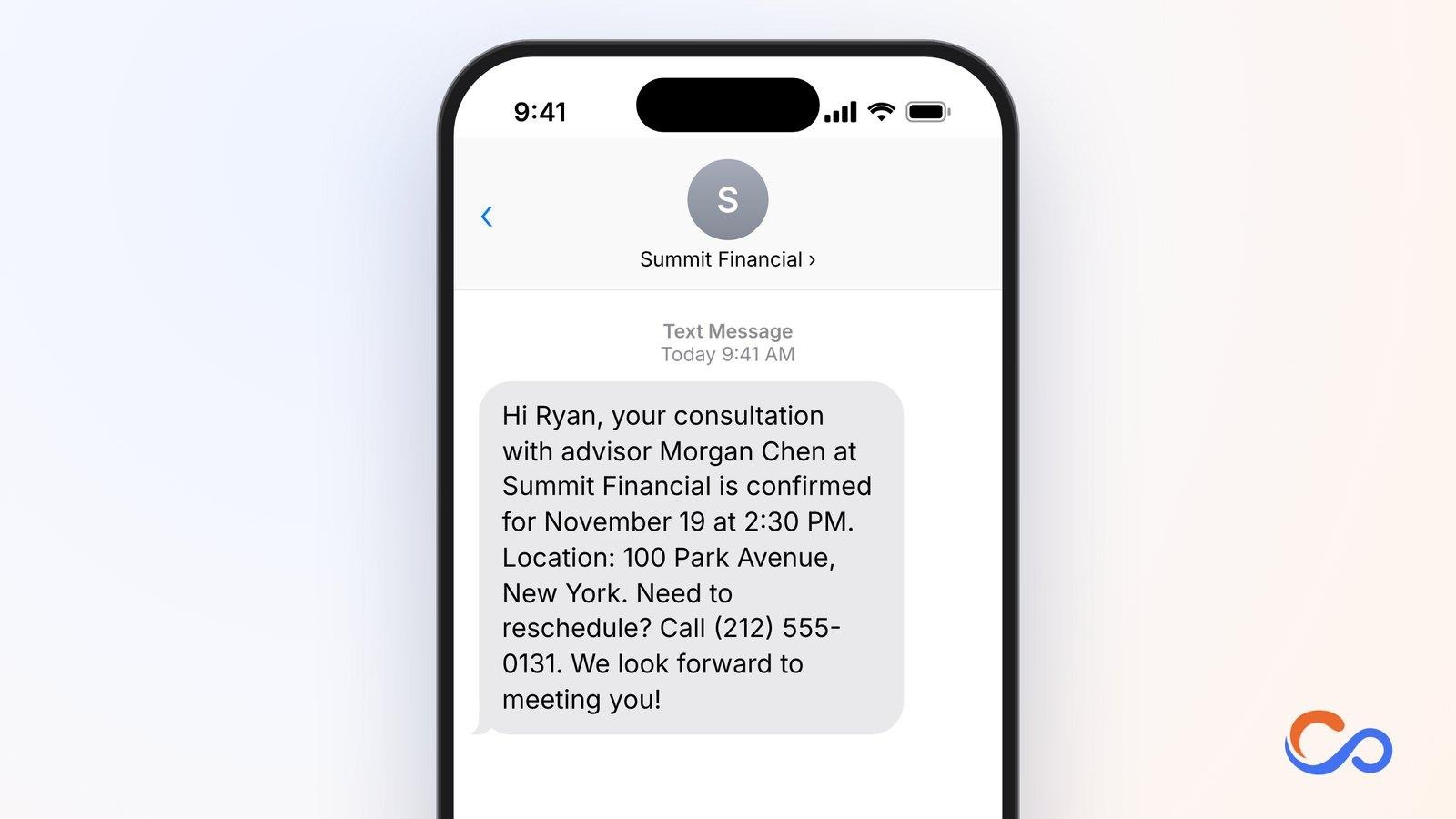
31. Financial Consultation Appointment Confirmation Text
Financial consultations can cover investments, retirement, savings, or other goals. Confirmation helps clients prepare and remember the appointment.
Who should use it and how
Financial advisors, wealth managers, banks, and independent consultants can send this immediately after a client books.
Key elements to include
- Client name
- Advisor/firm
- Date/time
- Office or virtual link
- Change contact
32. Loan Application Appointment Reminder Text
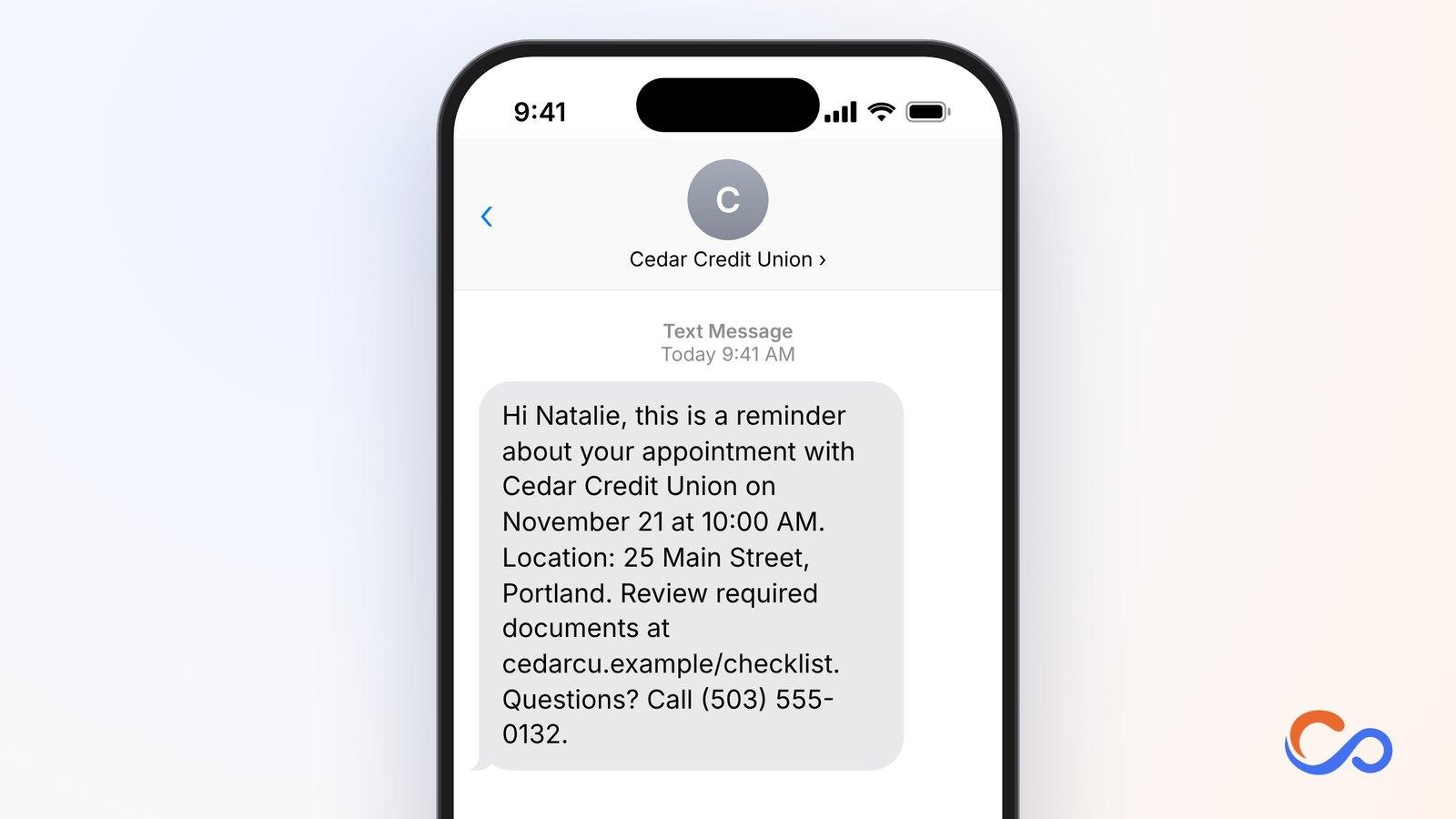
Borrowers may need to discuss eligibility, provide documents, or complete verification. A reminder helps them arrive prepared.
Who should use it and how
Banks, credit unions, lenders, and loan officers can send it 24–48 hours before a loan appointment.
Key elements to include
- Applicant
- Lender
- Date/time
- Branch or link
- Secure document checklist
33. Mortgage Consultation Appointment Reminder Text
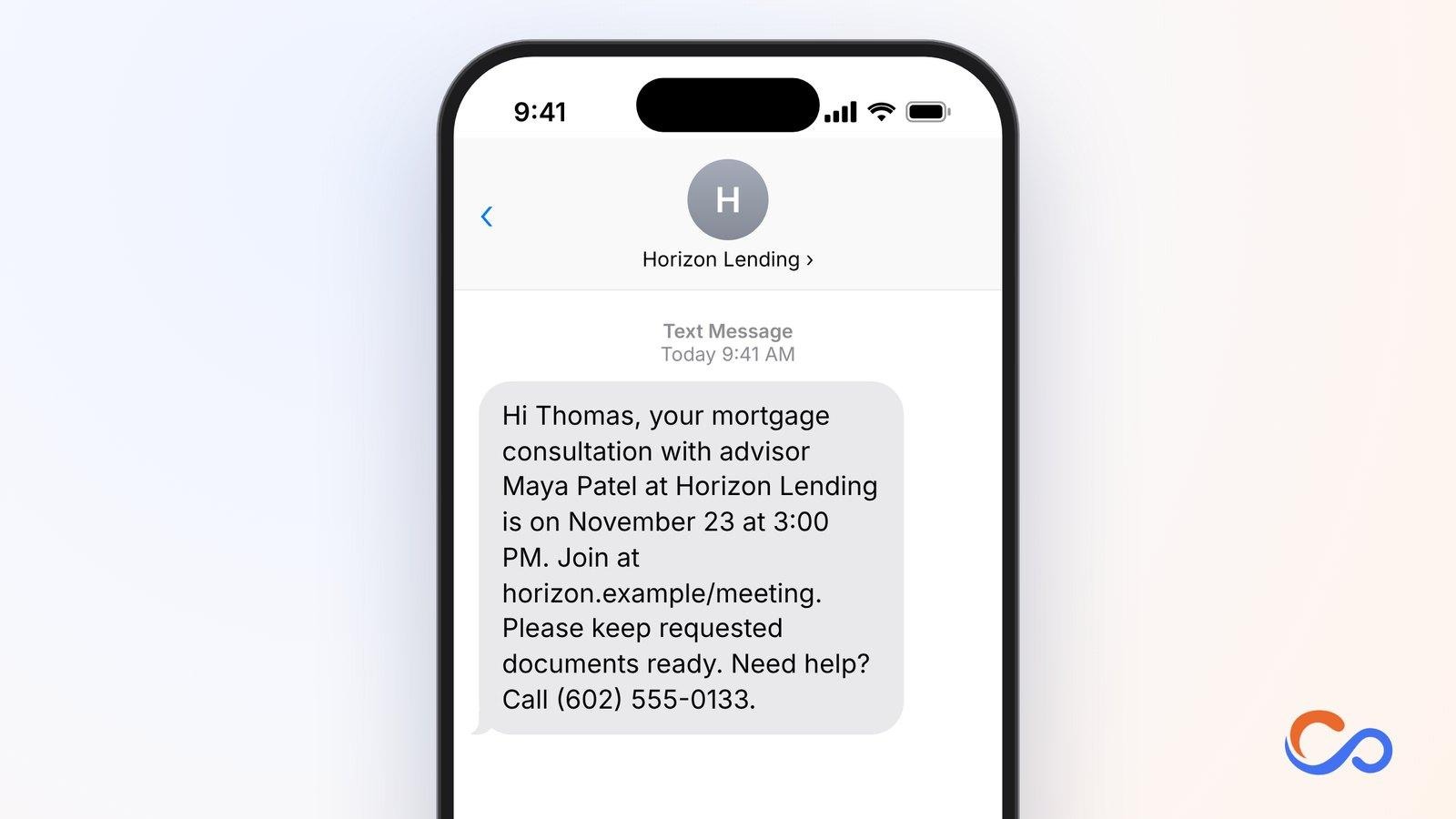
Mortgage meetings help borrowers discuss financing, eligibility, and next steps. A reminder provides time to organise questions and requested documents.
Who should use it and how
Mortgage brokers, banks, credit unions, and home loan advisors can send it about 24 hours before a booked consultation.
Key elements to include
- Borrower
- Advisor/lender
- Date/time
- Place or link
- Contact
34. Tax Consultation Appointment Reminder Text
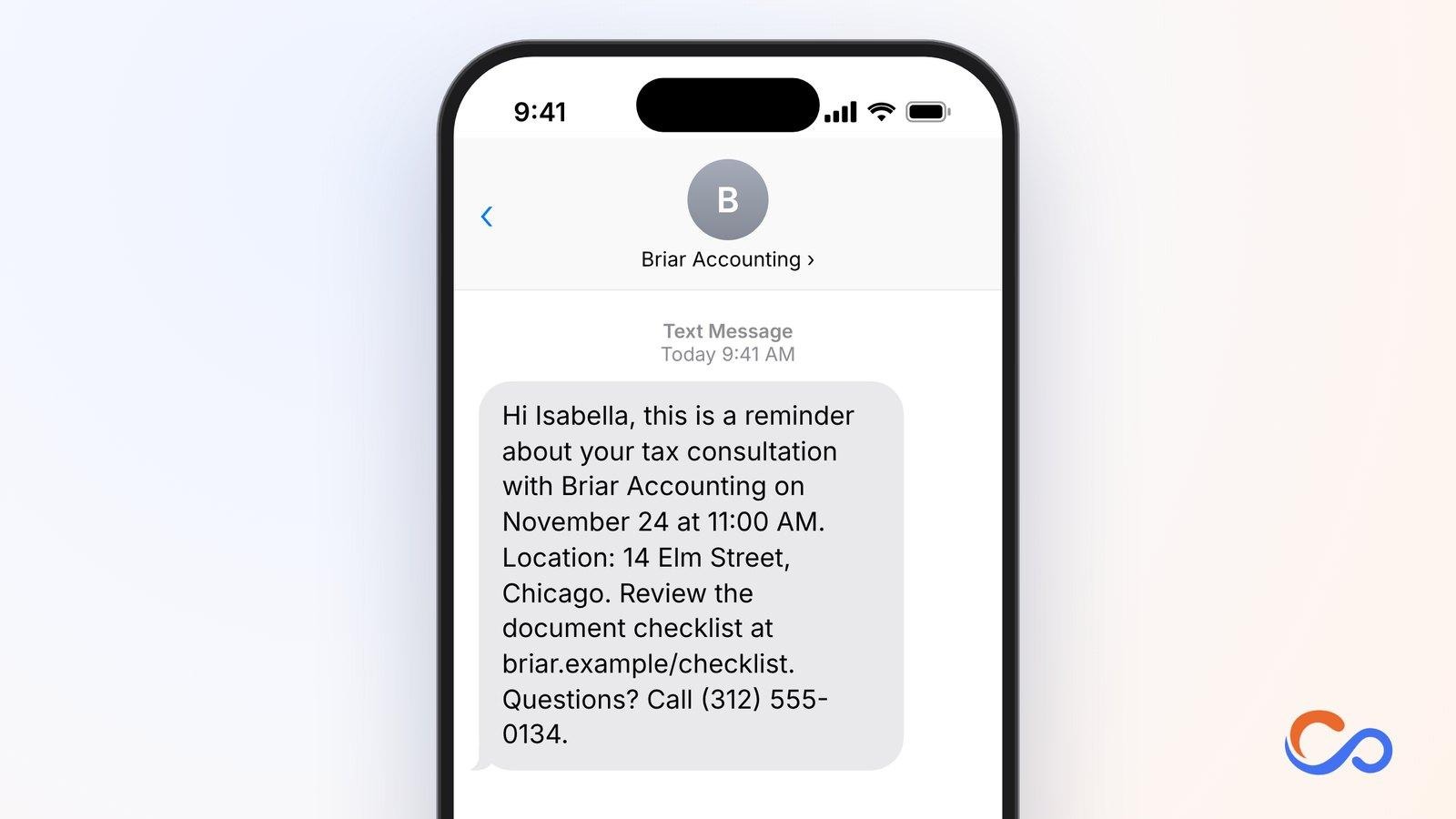
Tax consultations often require financial records and supporting documents. Reminding clients early helps avoid incomplete meetings and extra visits.
Who should use it and how
Accounting firms, tax consultants, CPAs, and tax preparation services can send it 24–48 hours before the appointment.
Key elements to include
- Client
- Firm
- Date/time
- Location
- Secure checklist
- Support
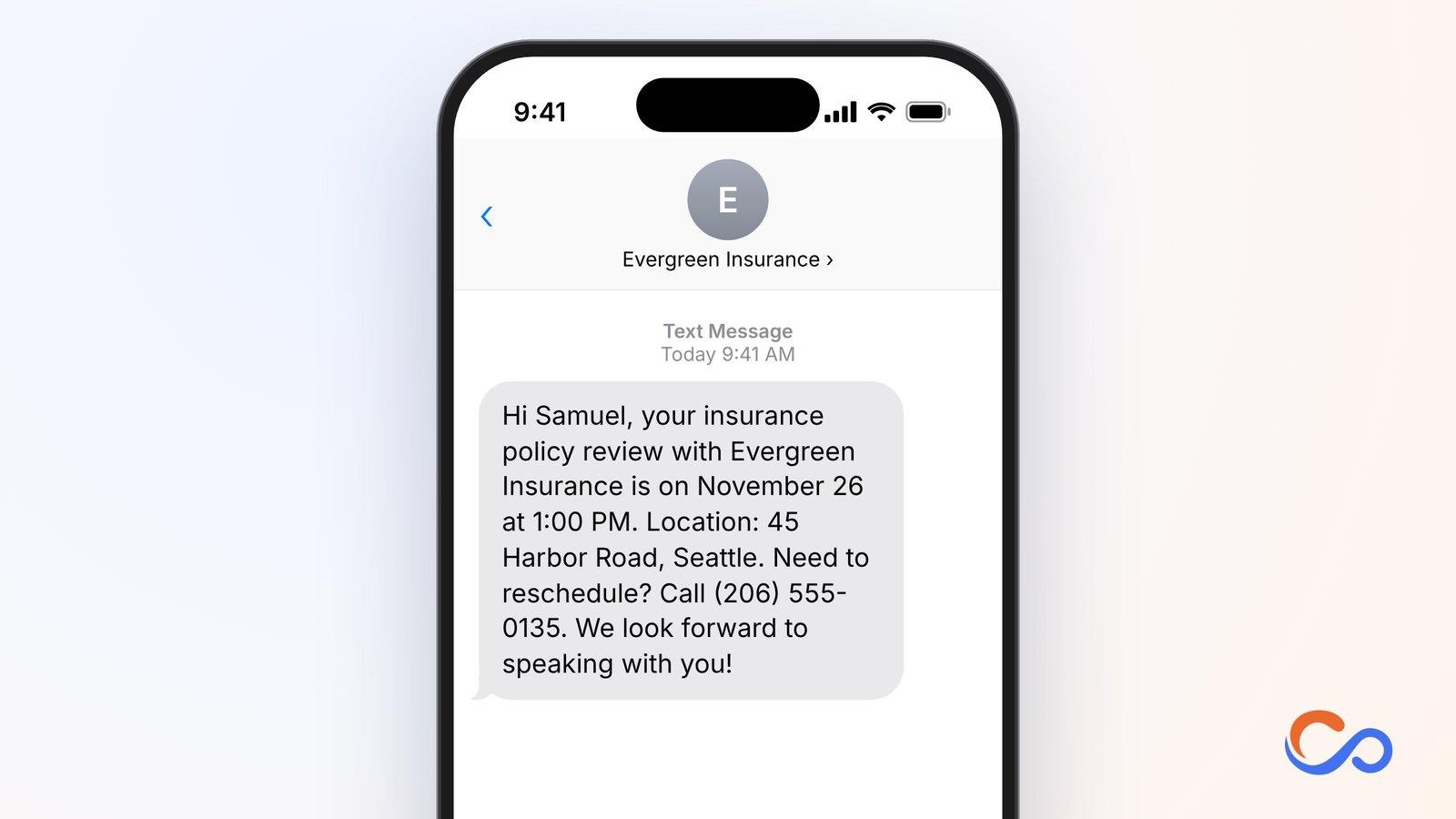
35. Insurance Policy Review Appointment Reminder Text
Policy reviews let customers discuss coverage, renewals, or changing needs. Reminders keep the confirmed time easy to find.
Who should use it and how
Insurance agents, brokers, agencies, and customer service teams can send it 24–48 hours before the review.
Key elements to include
- Policyholder
- Agency
- Date/time
- Location or link
- Rescheduling contact
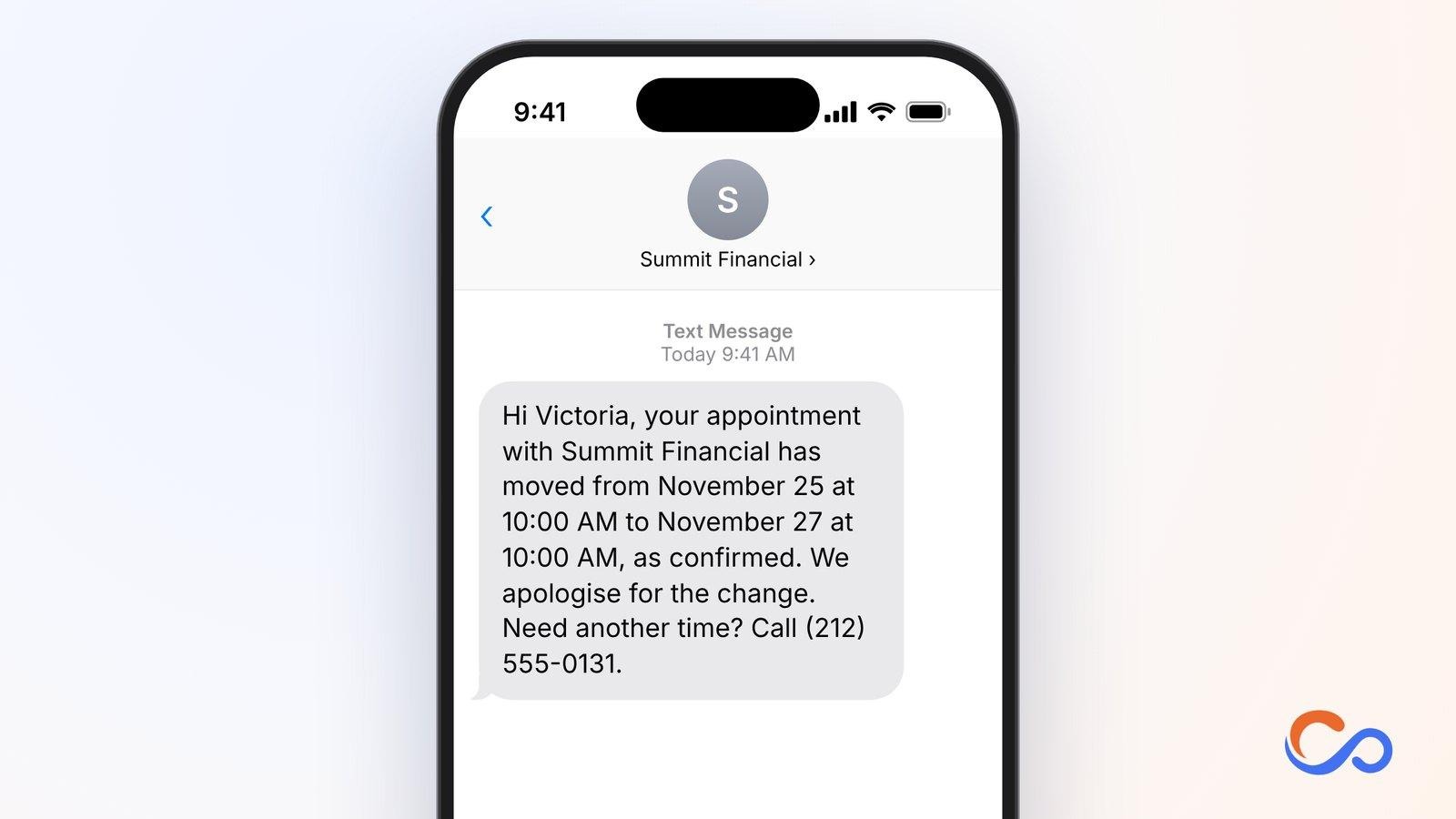
36. Financial Appointment Rescheduling Text
Financial meetings can move because of client conflicts or advisor availability. A rescheduling notification prevents attendance at the old time.
Who should use it and how
Banks, accountants, financial advisors, lenders, and insurers can send it after confirming a new time. Ask for approval if the new slot is only proposed.
Key elements to include
- Client
- Firm
- Original date/time
- Revised date/time
- Contact
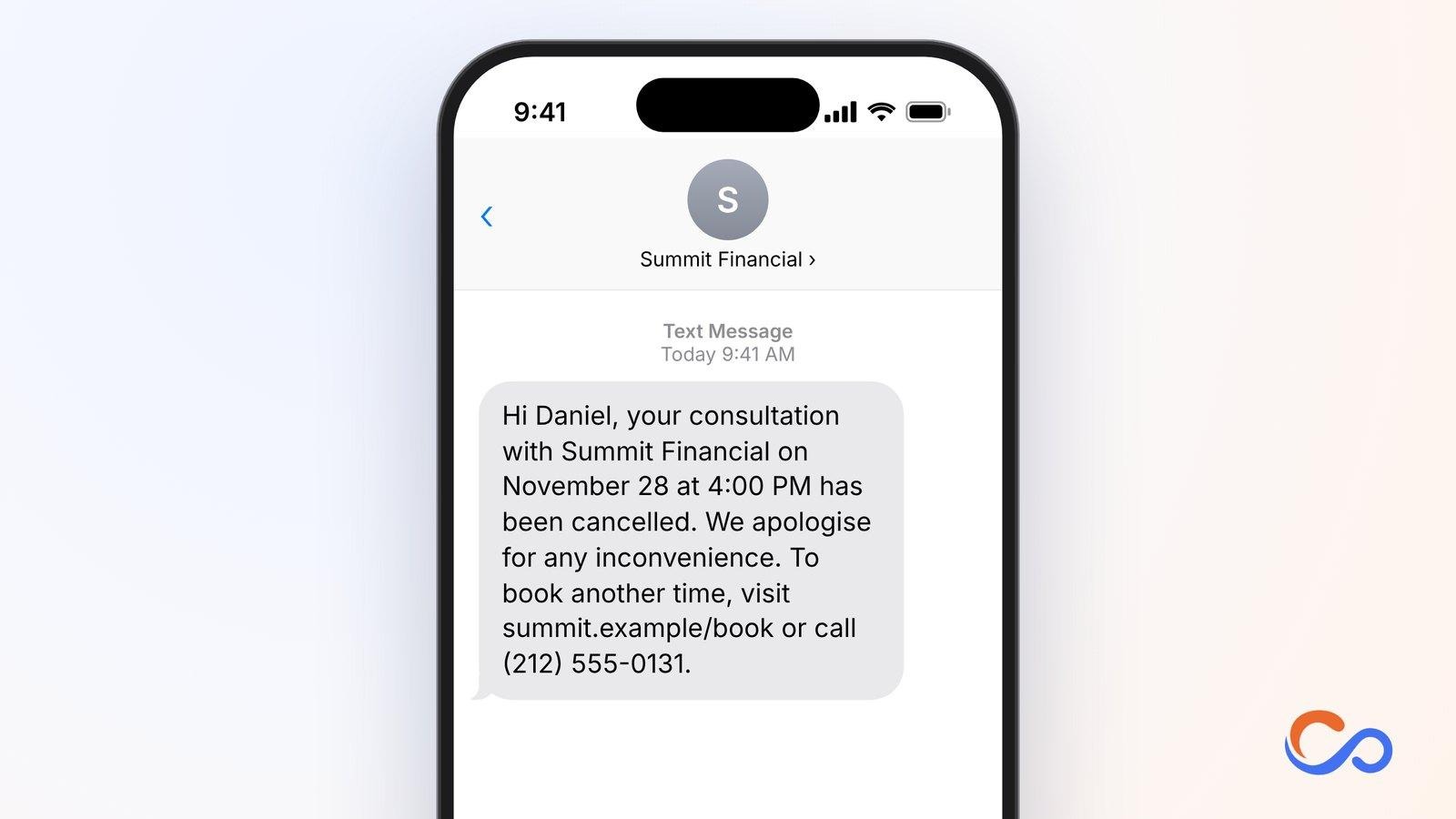
37. Financial Consultation Cancellation Text
Cancellation messages make it clear that a meeting will not take place and provide a simple rebooking route.
Who should use it and how
Advisory firms, banks, accountants, insurers, and lenders should send them as soon as a cancellation is confirmed.
Key elements to include
- Client
- Firm
- Cancelled date/time
- Clear status
- Rebooking details
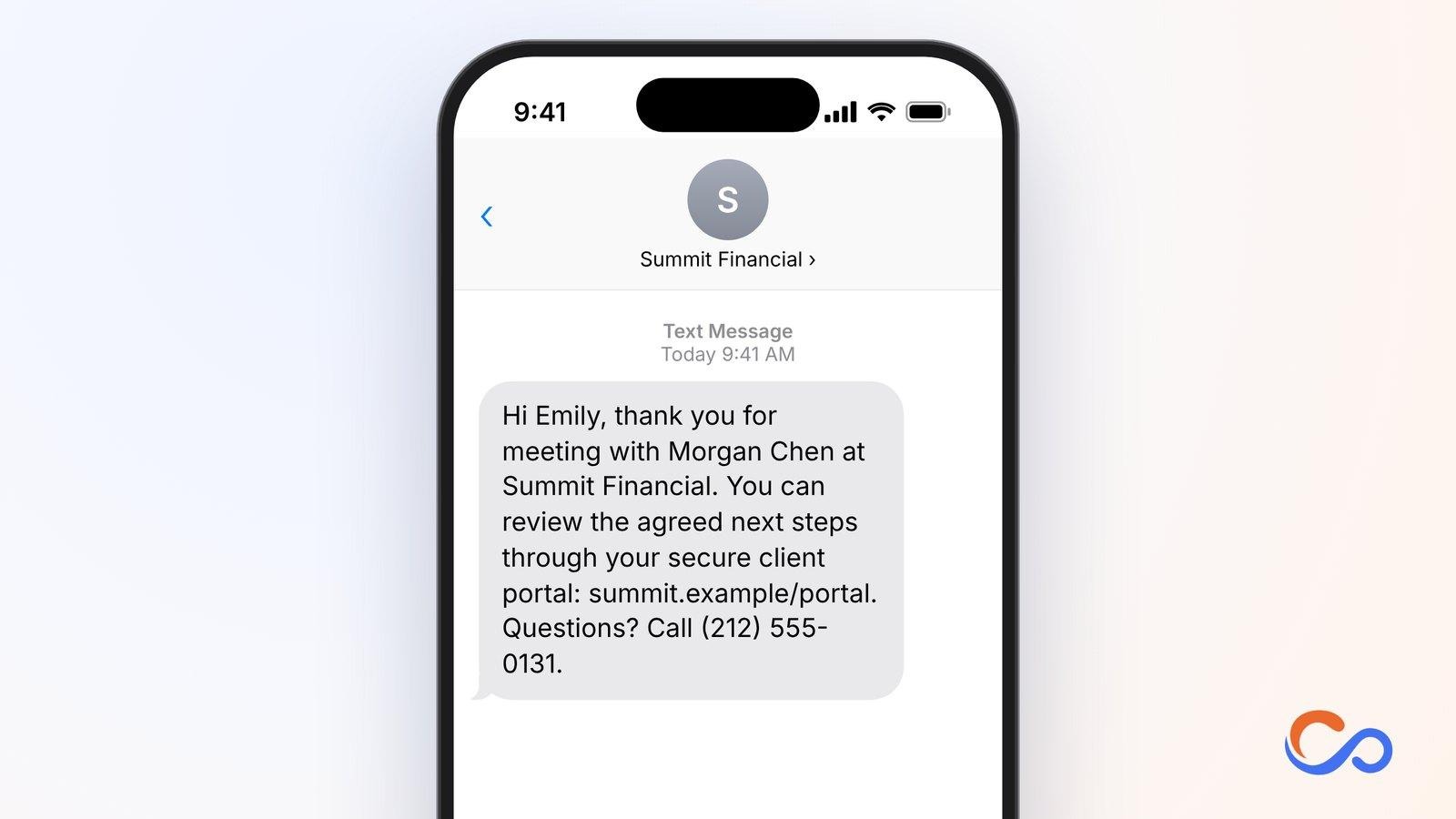
38. Post-Financial Consultation Follow-Up Text
After a consultation, clients may need to review a proposal, submit documents, or schedule another discussion. Follow-up should reflect agreed steps without exposing confidential information.
Who should use it and how
Advisors, wealth managers, accountants, mortgage consultants, and insurance representatives can send it within 24–48 hours of the meeting.
Key elements to include
- Client
- Advisor/firm
- Reference to meeting
- Secure next-step portal
- Contact
39. Financial Service Payment Reminder Text
Service fees, retainers, and scheduled payments need reminders that help customers use verified billing channels. Avoid unfamiliar payment destinations.
Who should use it and how
Accounting firms, tax services, consultants, and authorised providers can send it when a genuine payment is due and permissions are satisfied.
Key elements to include
- Client
- Firm
- Due date
- Verified billing portal
- Billing contact
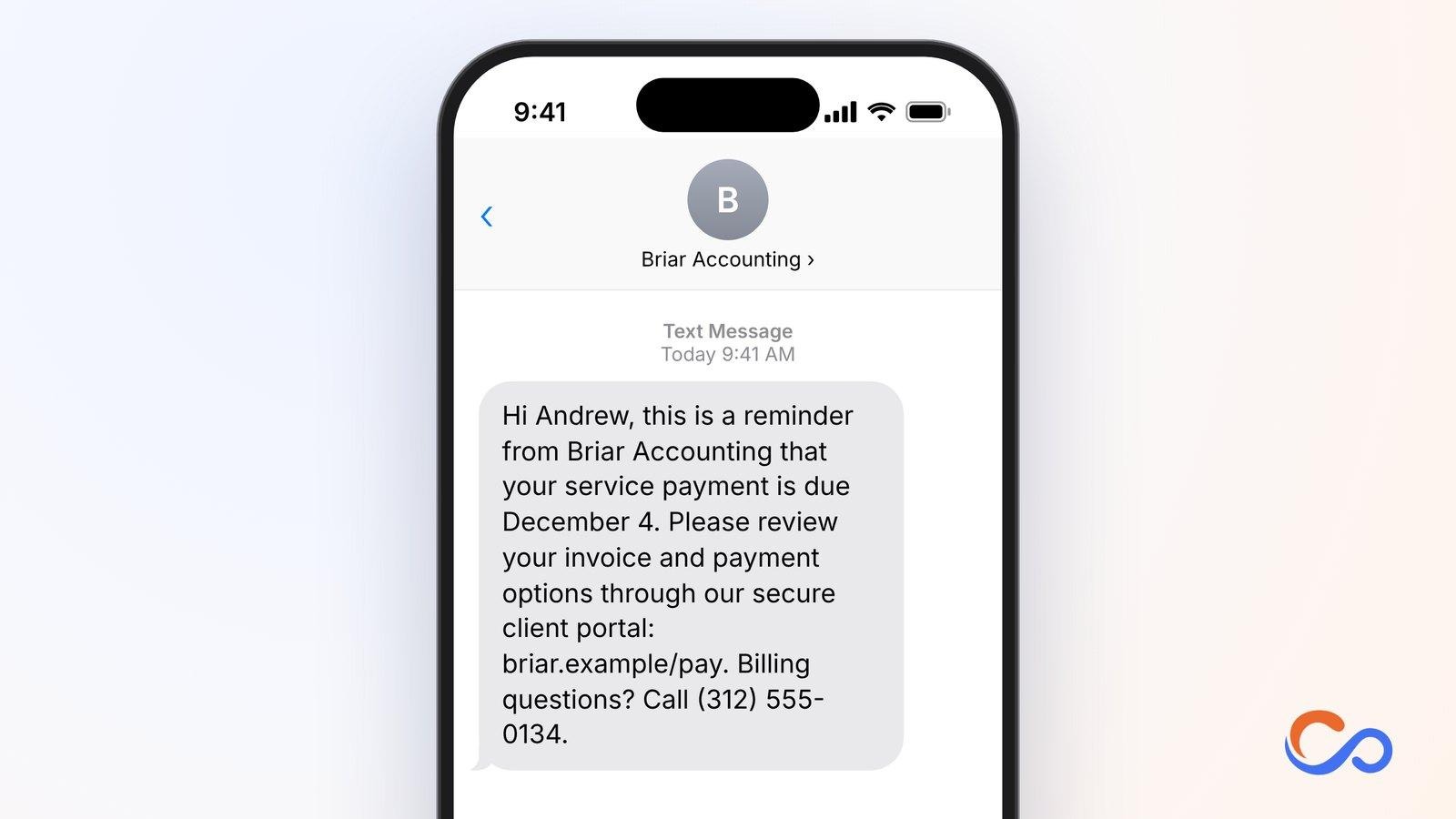
40. Financial Document Submission Appointment Reminder Text
Verification appointments can be delayed when clients arrive without the necessary documents. Early messages help them review the checklist.
Who should use it and how
Banks, lenders, accountants, advisors, and insurers can send it 24–48 hours before a booked document verification or submission meeting.
Key elements to include
- Client
- Institution
- Appointment date/time
- Office address
- Secure checklist
- Contact
When Should You Send Appointment Reminder Texts?
The timing of an appointment reminder text can affect how useful it is. Sending it too early may mean customers forget the appointment again, while sending it too late can leave insufficient time to prepare or reschedule. The ideal timing depends on the appointment type, preparation requirements, and action expected from the recipient.
Should You Send More Than One Appointment Reminder?
For appointments booked well in advance, two reminders can be useful. For instance, a clinic may send one 48 hours before a consultation and another a few hours before it. A short online meeting booked for tomorrow may need only a confirmation and a single reminder.
- Appointment lead time: Bookings made weeks ahead may justify another reminder.
- Preparation requirements: Diagnostics, financial consultations, and verification meetings may require earlier messages.
- Travel requirements: Campus tours, property viewings, and in-person consultations need enough planning time.
- Customer responses: Stop or update pending reminders when an appointment is cancelled or rescheduled.
- Communication preferences: Respect consent, contact hours, and applicable messaging rules.
Using appointment status and schedule data for automation helps prevent outdated reminders from reaching customers.
How to Personalise Appointment Reminder Text Messages
Personalised messages make it easier for recipients to identify their appointments and understand their next action. Use accurate customer and scheduling data rather than adding details merely for appearance.
1. Use Customer and Appointment Details
Common fields include [First Name], [Business Name], [Appointment Date], [Appointment Time], [Location], [Meeting Link], and [Contact Number]. Time zone information may also be necessary for remote meetings. Validate the data before sending and keep confidential material in secure portals.
2. Give Recipients a Clear Response Option
Tell people exactly how to confirm, request a change, or get help. Useful instructions include “Reply YES to confirm”, “Reply RESCHEDULE to request another time”, “Visit [Booking Link] to change your appointment”, and “Call [Phone Number] for assistance”. Only promise reply-based actions if your system actually receives and processes the responses.
3. Match the Message to the Industry and Appointment Stage
A healthcare reminder may point to approved patient instructions, while a property viewing reminder needs the address and meeting point. Confirmations, cancellations, billing notices, and post-appointment messages should also use different language. Select the template based on the current booking status and expected next action.
4. Avoid Sharing Unnecessary Personal Information
Healthcare providers should avoid diagnoses or sensitive clinical details in ordinary SMS. Financial institutions should not include account details, balances, or confidential application information. Direct recipients to verified, secure portals when authentication is required, and respect consent, opt-outs, and communication preferences.
How to Automate Appointment Reminder Text Messages With Conversive
Sending appointment reminders manually becomes difficult when teams manage hundreds of bookings across departments and locations. Staff must track schedules, personalise messages, send them at the correct time, and respond to requests for changes. Conversive supports CRM-connected messaging workflows and customer conversations across channels such as SMS and WhatsApp.
1. Send Automated Reminders Based on Appointment Schedules
Teams can configure reminders using appointment information and scheduling rules supported by their connected systems. A clinic might schedule messages 24 hours and two hours before a visit, while a real estate team may use a reminder ahead of a viewing. Check the workflow and integration setup before making specific promises about triggers.
2. Personalise Messages Using Salesforce CRM Data
Conversive supports Salesforce-connected messaging workflows. Teams can prepare reusable templates with fields for a recipient’s name, date, time, and other appropriate CRM information, subject to their configuration and data permissions.
3. Manage Appointment Responses Through Two-Way Messaging
Customers may need to confirm, ask a question, cancel, or request a new time. Two-way messaging allows employees to handle those conversations through a managed interface instead of relying on one-way alerts.
4. Communicate Across SMS and WhatsApp
Businesses can select supported messaging channels according to customer preferences, consent, and their configured integrations. The same appointment workflow may require different message wording and rules across channels.
5. Keep Customer Conversations Organised
A reminder can turn into a scheduling question or support request. Shared conversation management helps appointment coordinators, admissions teams, sales representatives, and support staff follow up without losing the context of earlier messages.
6. Make Appointment Reminders Easier to Manage With Conversive
From confirming appointments to post-visit follow-up, teams need a dependable way to manage recurring messages and customer replies.
Frequently Asked Questions
What is a good appointment reminder text message?
A good reminder is short, polite, and specific. Include the recipient’s name, business, appointment time and date, location or meeting link, and a clear next action. Example: “Hi [First Name], your appointment with [Business Name] is scheduled for [Date] at [Time]. Reply YES to confirm or call [Phone Number] to reschedule.”
How do you politely remind someone about an appointment?
Use a friendly, professional tone and present the reminder as helpful information. State when the appointment takes place and how to confirm or request changes. Avoid pressuring customers to attend.
How far in advance should you send an appointment reminder text?
For many appointments, 24–48 hours beforehand is a practical starting point. Appointments requiring extensive preparation or travel may need earlier messages. A same-day reminder can also help if the customer’s preferences and applicable rules allow it.
What should a 24-hour appointment reminder say?
Name the business, confirm the appointment time, and give a simple response option. Example: “Hi [First Name], this is a reminder about your appointment with [Business Name] tomorrow at [Time]. Location: [Address]. Reply YES to confirm or call [Phone Number] to reschedule.”
Can customers confirm appointments by replying to an SMS?
Yes, if the business uses a two-way SMS system configured to receive and process replies. Customers can respond with keywords such as YES or CONFIRM, and staff or automated workflows can then update appointment records.
How do you write an appointment cancellation text?
Clearly say that the appointment has been cancelled, reference its original date and time, and explain how to book a replacement. If the business made the cancellation, briefly acknowledge any inconvenience.
How do you remind someone about a missed appointment?
Send a neutral follow-up with a rescheduling option. Example: “Hi [First Name], we noticed you missed your appointment with [Business Name] on [Date]. If you would like to reschedule, please visit [Booking Link] or call [Phone Number].”
Can you send appointment reminders automatically?
Yes. Scheduling platforms, CRM workflows, and supported messaging tools can trigger reminders based on appointment dates, times, and statuses. Teams should ensure changes and cancellations update pending reminders.
Are appointment reminder text messages allowed under HIPAA?
Healthcare providers may send appointment reminders as treatment-related communications without separate HIPAA marketing authorisation. They still need appropriate privacy safeguards and must account for any other applicable messaging, consent, and opt-out requirements. HIPAA permission alone does not mean every automated text is compliant.
What is the difference between an appointment confirmation and an appointment reminder?
A confirmation tells someone that an appointment has been booked, usually right after scheduling. A reminder arrives closer to the appointment to help the person remember, prepare, and confirm or change attendance.


