
Most CRMs hold thousands of leads that never converted and customers who quietly lapsed. They usually went cold because follow-up stopped, not because interest disappeared. This guide shows how to run a database reactivation campaign that starts real conversations, with segmentation, consent checks, SMS scripts and a simple way to measure ROI.
A prospect asks for pricing, speaks with your team, and never books the next call. 6 months later, their record is still in your CRM, with a few notes and no scheduled follow-up. Your team has moved on to newer inquiries.
That prospect may have chosen another provider. They may also have postponed the decision, missed your follow-up, or needed an answer they never received. An inactive record alone doesn’t tell you which.
Database reactivation helps you revisit those unfinished conversations. You contact inactive leads and past customers with a reason to respond, based on their earlier interest and permission to reach them. A new program date, an available appointment, or a product feature they previously requested can make the conversation relevant again.
But sending the message is only the first step. When someone replies, your team needs to answer their questions, establish whether they are ready to proceed, and agree on what happens next. A useful reactivation campaign connects all of that: the right contacts, a clear message, a prompt response, and a recorded outcome you can trace through to revenue.
What Is Database Reactivation?
Database reactivation is the process of re-engaging inactive leads and past customers already in your CRM to restart conversations and generate new business.
The approach depends on who you are contacting and their previous relationship with your business:
- Lead reactivation targets prospects who showed interest but never converted, such as someone who requested a quote and stopped responding.
- Win-back campaigns target former customers who stopped buying, canceled a subscription, or haven’t returned for another service.
- Re-engagement emails target inactive subscribers to establish whether they still want to receive your content or communications.
A reactivation campaign is a short, planned sequence aimed at one of these groups, with a single goal, such as booking a consultation or restarting a product evaluation.
For example, you might contact prospects whose evaluations stalled because a requested integration was unavailable. Once that integration is ready, you have a specific reason to reopen the conversation.
Why Do Leads in Your CRM Go Cold?
Silence can have several causes. A prospect may have lost interest, but they may also have missed your message, postponed the purchase, or been left without a next step.
1. Follow-up stops before a decision is made.
A slow first response can leave an inquiry unanswered while the prospect looks elsewhere. Later, a rep may stop after two attempts, leave a conversation without a scheduled follow-up, or hand over an account without assigning its open tasks.
Timing and channel choice also matter. Someone who needed three months to secure a budget may have received all your follow-ups in the first week. Another prospect may rarely check the email address your team used.
Your CRM should help distinguish these situations from an explicit rejection.
2. Outdated contact details make leads harder to reach.
People change roles, phone numbers, and email addresses. An unanswered message may mean the contact details no longer work.
Before including an old record in a reactivation campaign, check its accuracy, duplicates, and contact permissions. Cleaning the database helps you identify which contacts you can still reach.
Which Cold Leads Should You Reactivate First?
Start with contacts you have permission to reach on the intended channel. Then group them by where the conversation stopped. That gives you a clearer basis for your message than the age of the record alone.
Within eligible segments, prioritize records with a documented need, a known reason for delay, and a relevant reason to reconnect. Those details help your team continue a conversation with context.
How Do You Run a Database Reactivation Campaign?
Choose one eligible segment and one goal, such as booking a consultation. Then build the campaign around these five steps.
1. Check consent and clean the data before sending.
Remove duplicates, verify contact details, exclude opt-outs, and confirm that recorded permission covers your planned outreach.
For texts sent using an autodialer covered by the TCPA, prior express consent is generally required. Advertising or telemarketing texts generally require prior express written consent.
Include clear opt-out instructions and process revocation requests promptly. US application-based messaging through local 10-digit numbers also requires A2P 10DLC registration. Registration does not replace consent.
Have counsel confirm the requirements for your campaign. This is not legal advice.
2. Give every message a reason to reply.
Reference the contact’s earlier interest and explain why you are reaching out now. That could be new availability, an upcoming enrollment date, or a feature they previously requested.
Ask one direct question that is easy to answer. Someone should be able to express interest without completing a form or booking a meeting immediately.
3. Keep the sequence short and use multiple channels.
As a starting point to test, try three touches over roughly two weeks: an initial text, an email with more detail, and a final text.
Use each channel only where you have the required permission. Stop the sequence when someone replies, books, declines, or opts out. If an interested contact hasn’t booked, offer a call to help resolve their remaining questions.
4. Route replies to a person or an AI agent within minutes.
Assign responsibility for incoming replies before launch. Set a response target your team can meet, with coverage hours made clear.
An AI agent can handle approved questions and collect basic details, with a defined handoff to a rep. Give that rep the conversation history so the contact can continue from where they left off.
5. Write every outcome back to the CRM.
Record the response, current interest, assigned owner, and next action. Update contact preferences and consent status where applicable.
If someone asks you to reconnect in three months, create a dated task. If they book, remove them from the remaining campaign messages. Each conversation should leave a clear record of what happens next.
What Should a Reactivation Text Say?
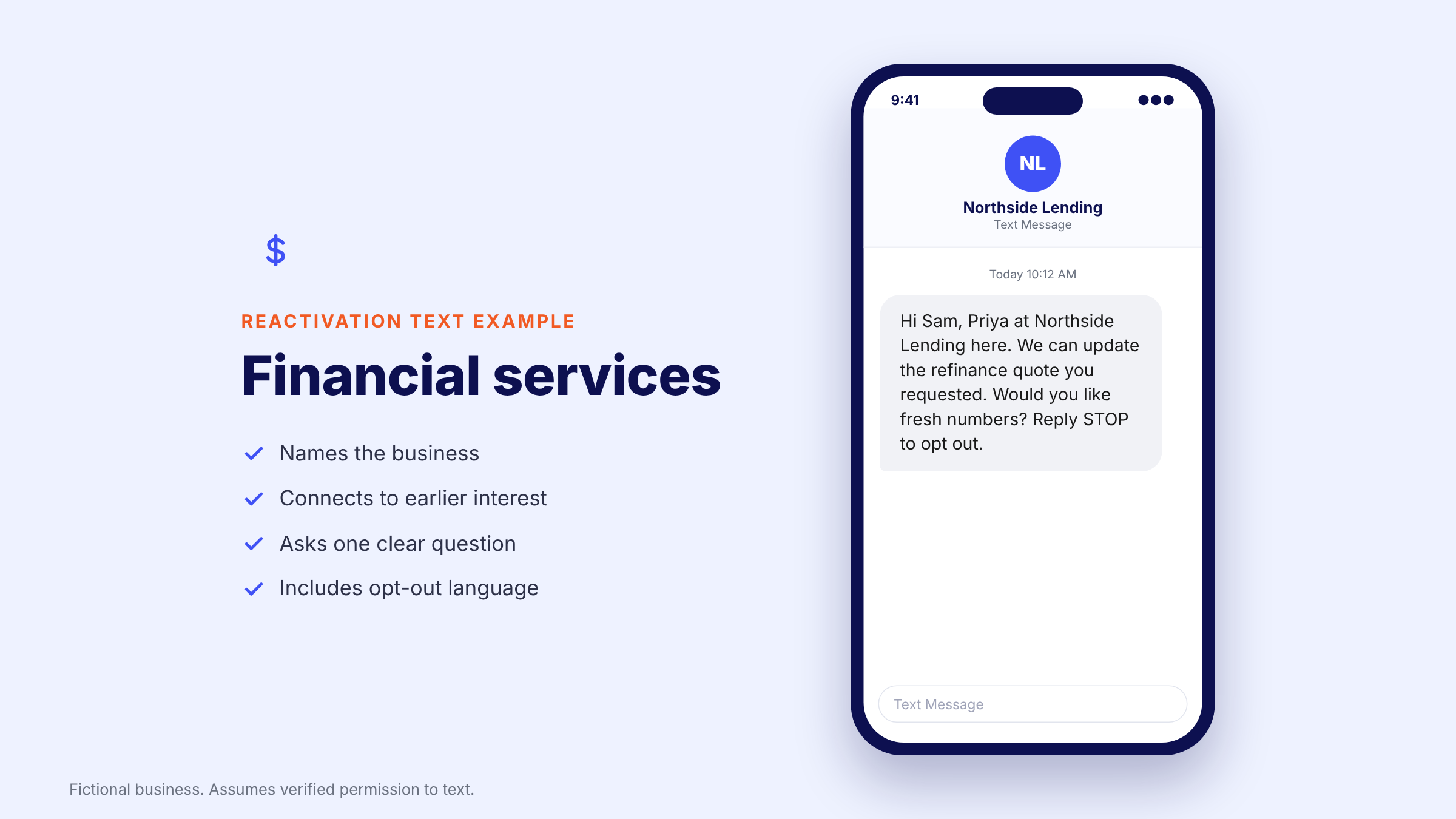
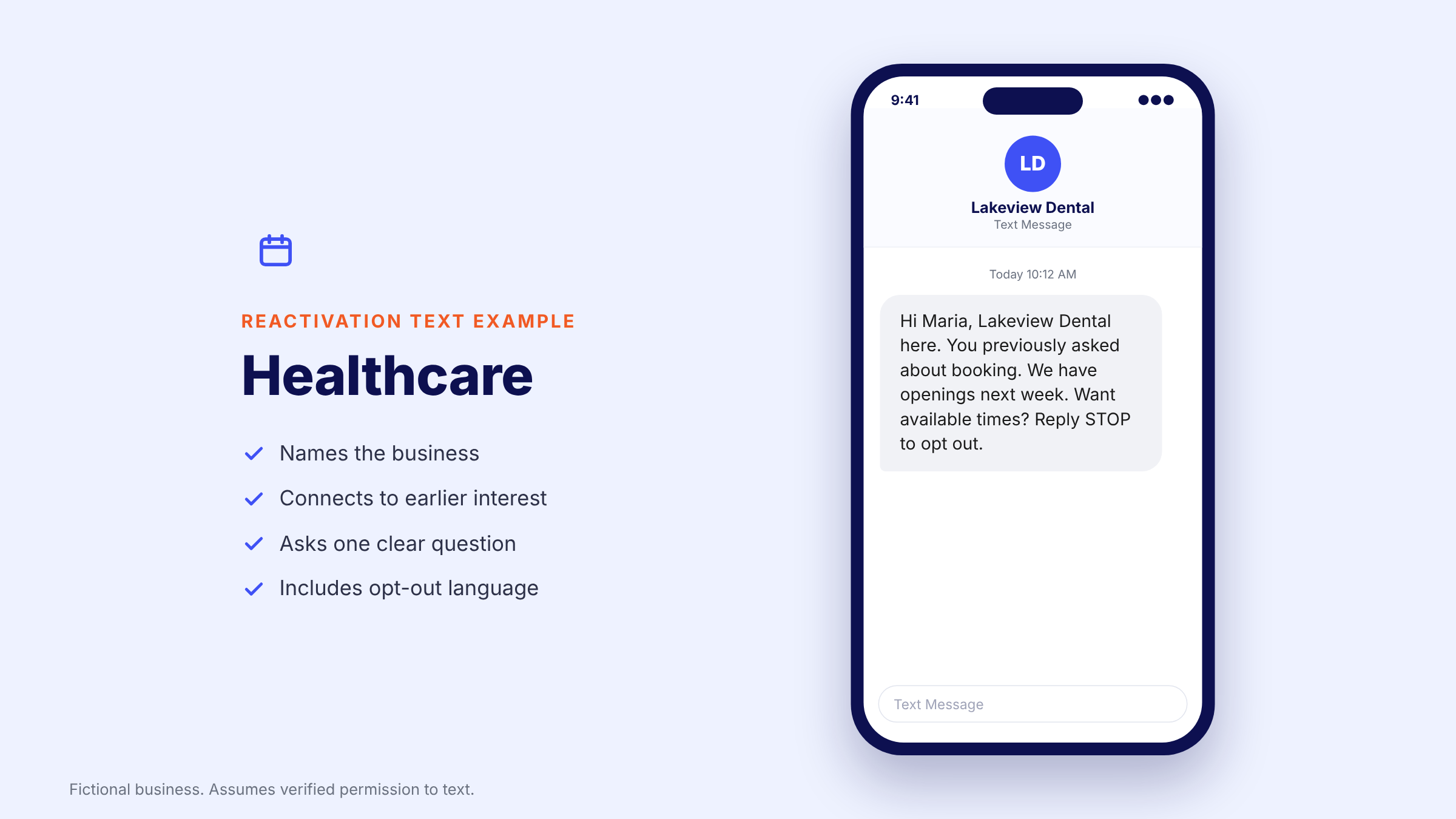
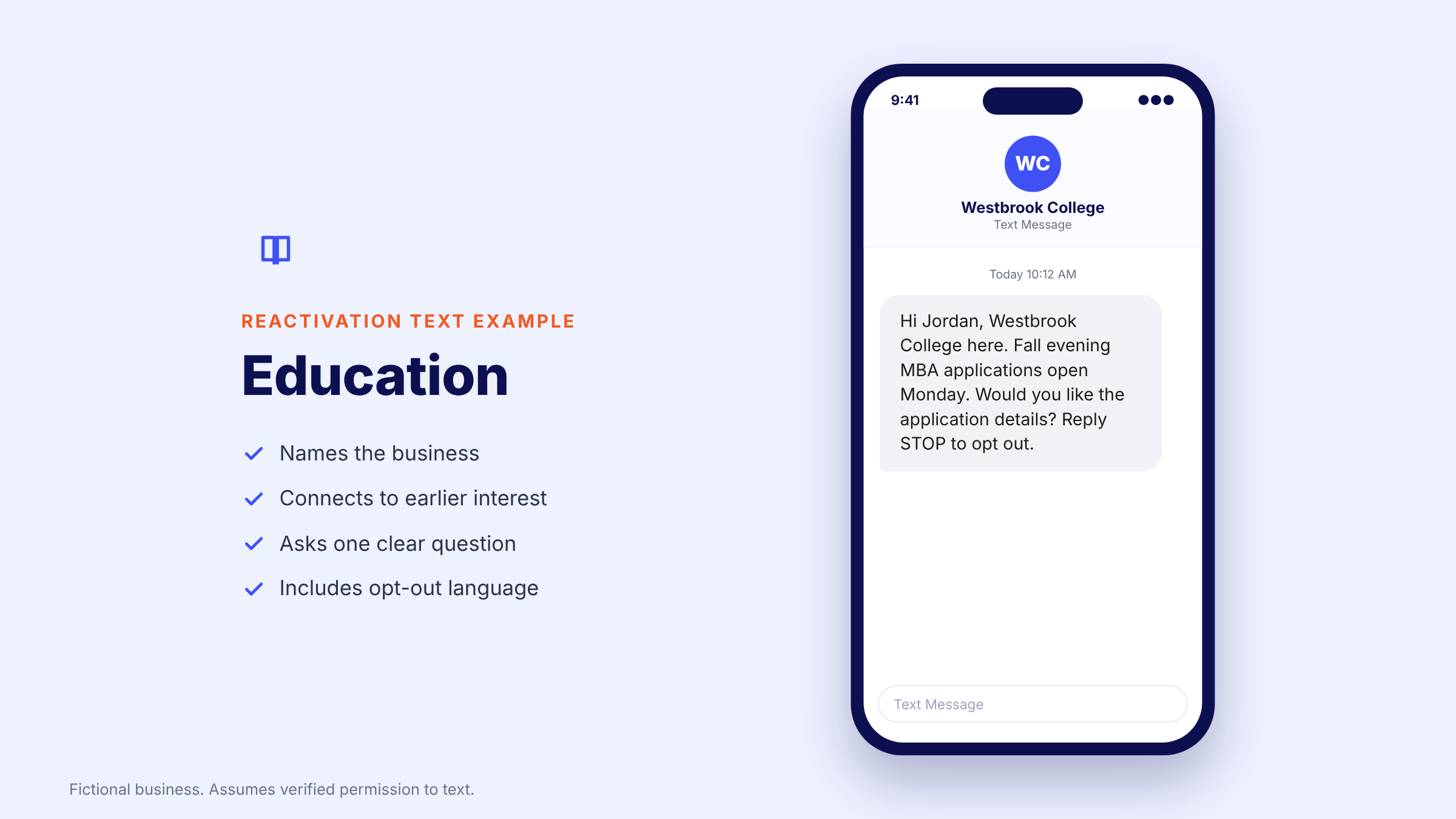
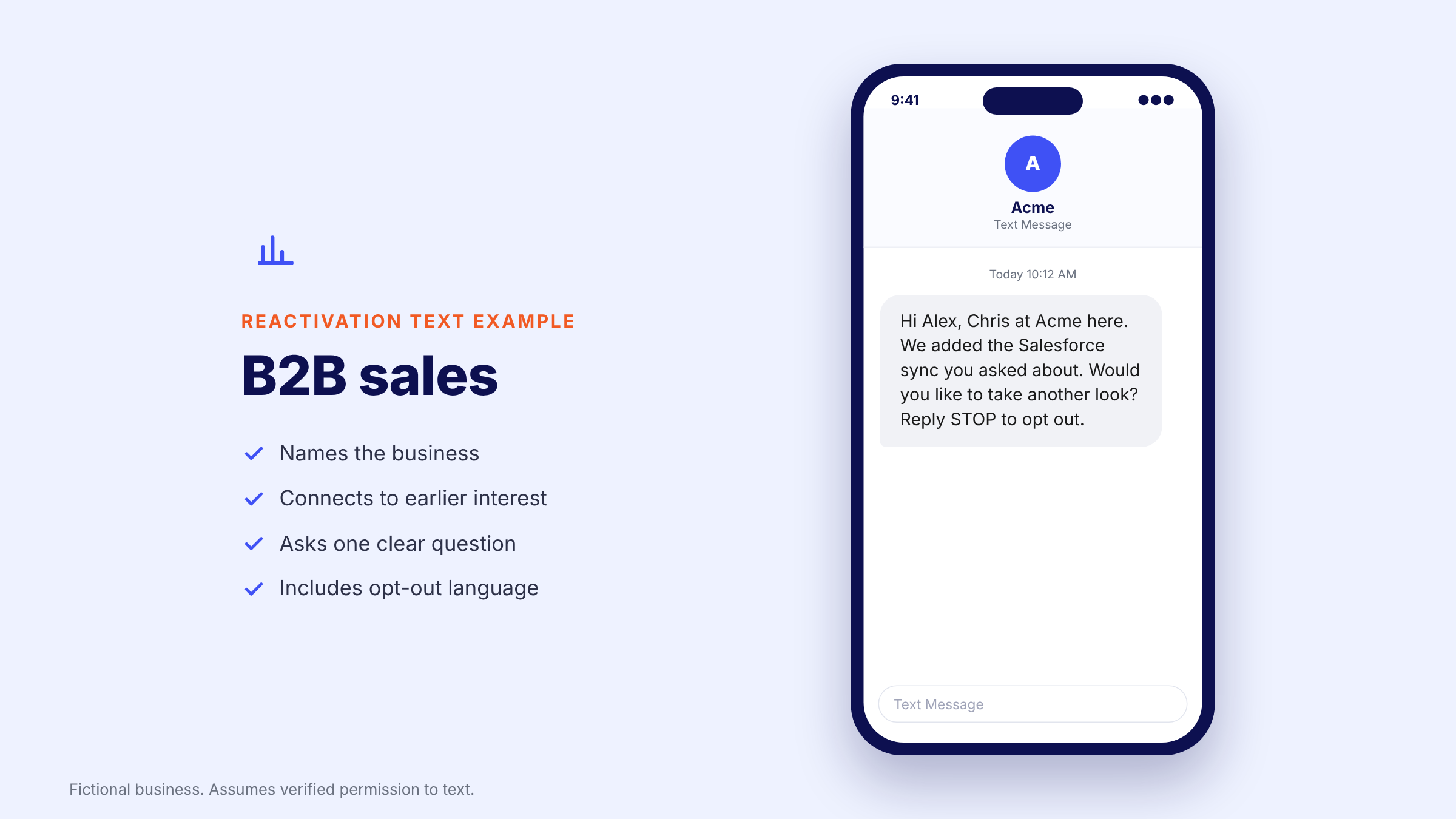
Name your business, connect the message to earlier interest, and ask one clear question. These examples use fictional names and businesses and assume verified permission for the outreach.
Financial services
Healthcare
Education
B2B sales
How Do You Measure the ROI of Database Reactivation?
Track results from delivery through to revenue. For contact-level rates, count each person once and define “contacts reached” as recipients of at least one delivered message.
Revenue-based ROI = [(Attributed revenue − campaign cost) ÷ campaign cost] × 100
For a hypothetical campaign reaching 2,000 consented leads, an 8% reply rate produces 160 replies. If 25% book, that gives you 40 meetings. If 20% of those meetings become sales, you close eight deals.
At $3,000 per deal, that produces $24,000 in revenue. Against a $3,000 campaign cost, the revenue-based ROI is 700%.
These rates are illustrative. Use your own results and include messaging, software, setup, and staff time in campaign costs.
Make Database Reactivation Part of Your Follow-Up Process
Some leads in your CRM stopped hearing from your team before they made a decision. Reactivation gives you a way to find out who still needs help.
Start with one eligible segment, a relevant reason to reconnect, and someone responsible for replies. Give each renewed conversation a clear next step.
Measure bookings, pipeline, and revenue to decide which segments deserve regular follow-up. Those results can turn a one-time campaign into a repeatable part of your sales process.
To see how the outreach, reply handling, and CRM updates work together, book a demo with Conversive.
Frequently Asked Questions
What is database reactivation?
Database reactivation means reconnecting with inactive leads and past customers already in your CRM. Lead generation focuses on attracting new prospects; reactivation revisits existing relationships.
What is a reactivation campaign?
A reactivation campaign is a short, planned outreach sequence for one inactive audience segment, with a defined goal such as booking a consultation or restarting an evaluation.
Is it legal to text old leads?
An old inquiry alone doesn’t establish permission for a marketing campaign. TCPA-covered marketing robotexts generally require prior express written consent. Honor opt-outs and complete A2P 10DLC registration for application-based texting through US local 10-digit numbers. This is not legal advice.
When is a lead considered cold?
Define inactivity according to your sales cycle. Look for unanswered outreach, overdue next steps, or stalled evaluations, rather than relying only on the record’s creation date.
Is SMS or email better for reactivating cold leads?
Use SMS for a short question and email when you need to provide more detail. Choose channels based on recorded permission and the contact’s previous responses.
How often should you message cold leads?
As an initial test, try three touches over roughly two weeks. Stop when someone replies, declines, books, or opts out. Continue nurturing unresponsive contacts only where permission allows.